
How to create a new Processor
how to use drag-and-drop to create and connect Processors within a script
Create a new Processor
To create a new Processor, simply drag and drop from the Script editor panel.
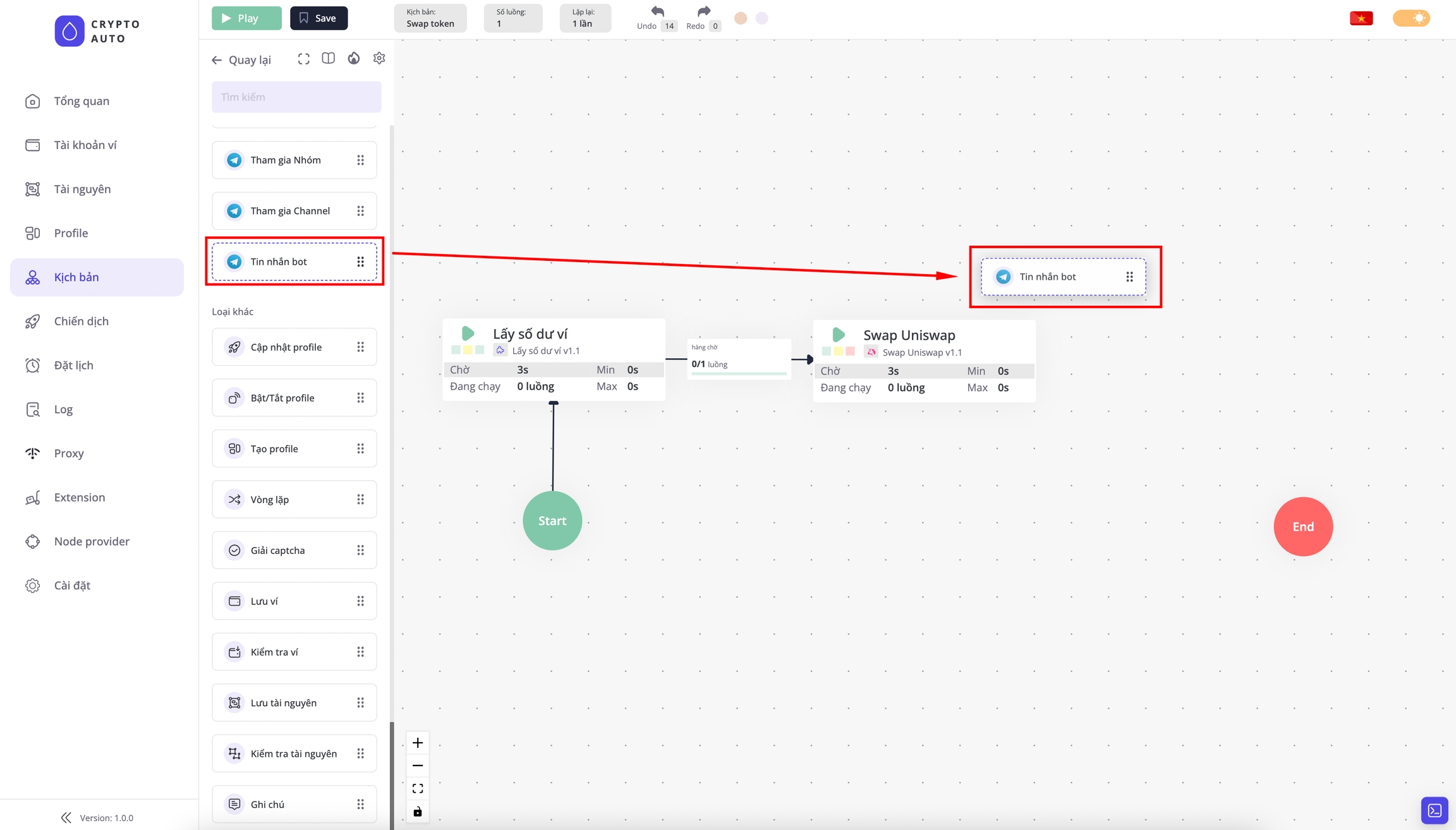
Connect Processors
Step 1: To connect Processors, hover your mouse over the source Processor to reveal a purple arrow icon.
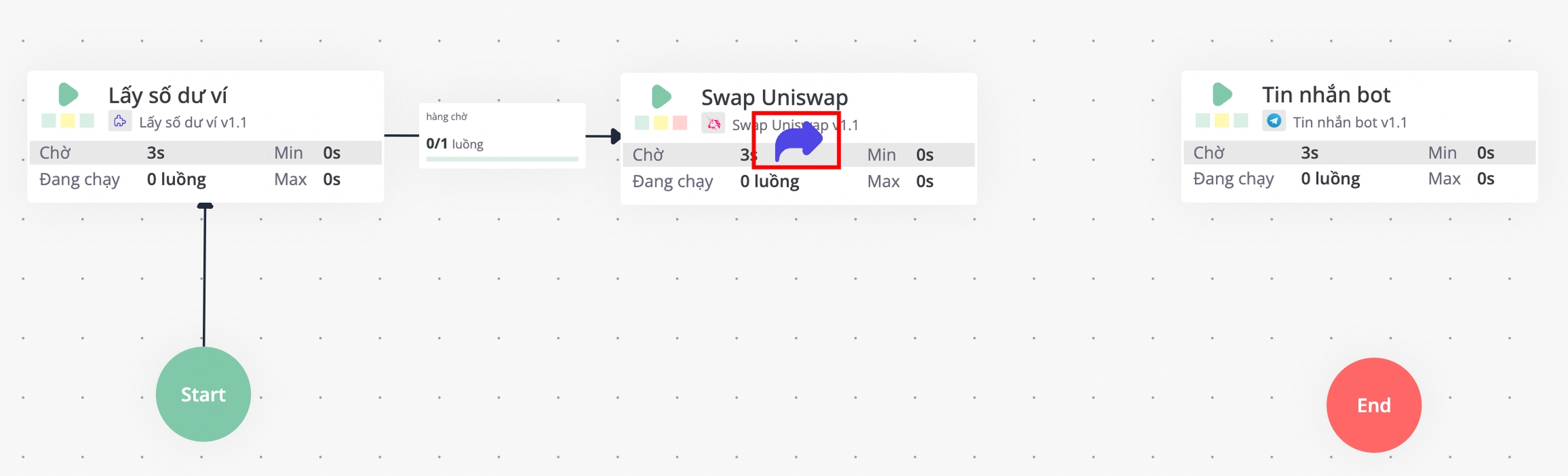
Uniswap swap Processor to reveal the arrow icon.Step 2: Hover over the purple arrow, drag it, and then drop it onto the target Processor you want to connect to.
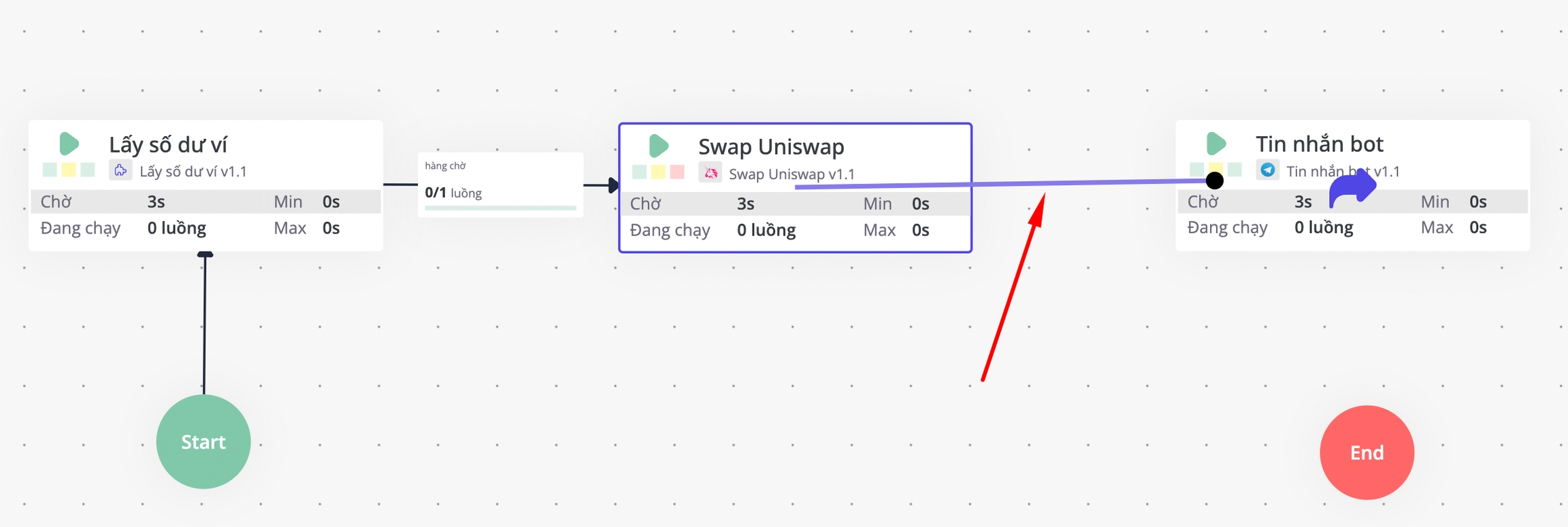
Uniswap swap Processor and drop onto the Bot message ProcessorResult:
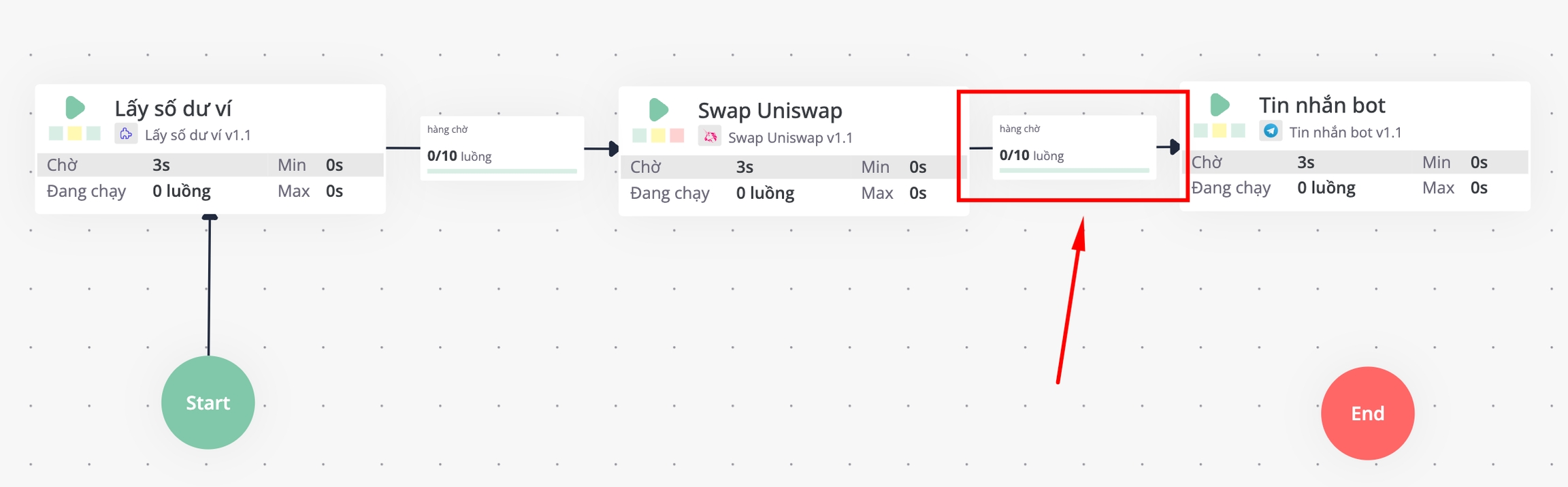
Uniswap swap Processor will run firstLast updated