
What is queue
The queue sits between the processors and holds information about the Profiles that are currently running.
For example, suppose the Get wallet balance processor finishes and you want to wait another three minutes (180 seconds) before running the Check balance processor. Once the profile completes the wallet balance processor, it moves into the queue and waits there for three minutes. When that time is up, the profile proceeds to the Get wallet balance processor to continue.
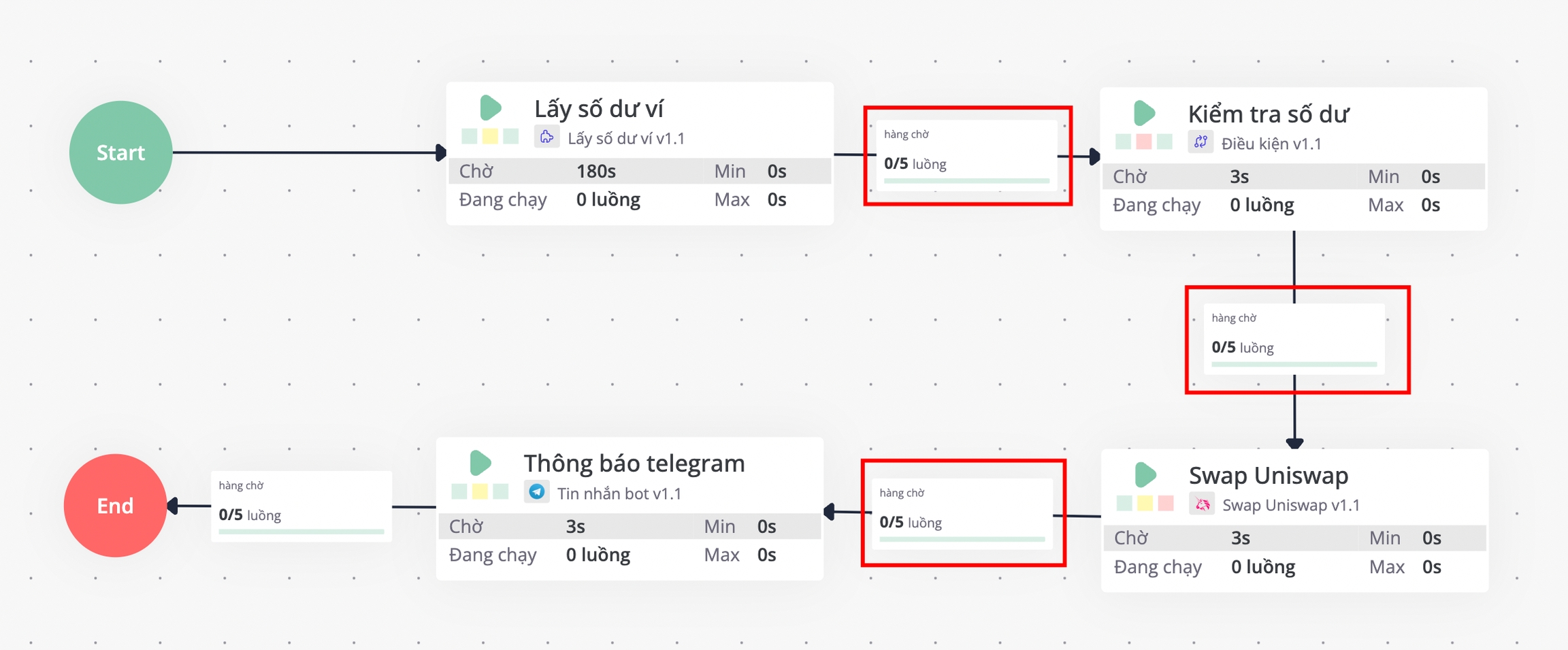
View queue details
To view the details of a queue, left-click the queue and choose View queue.
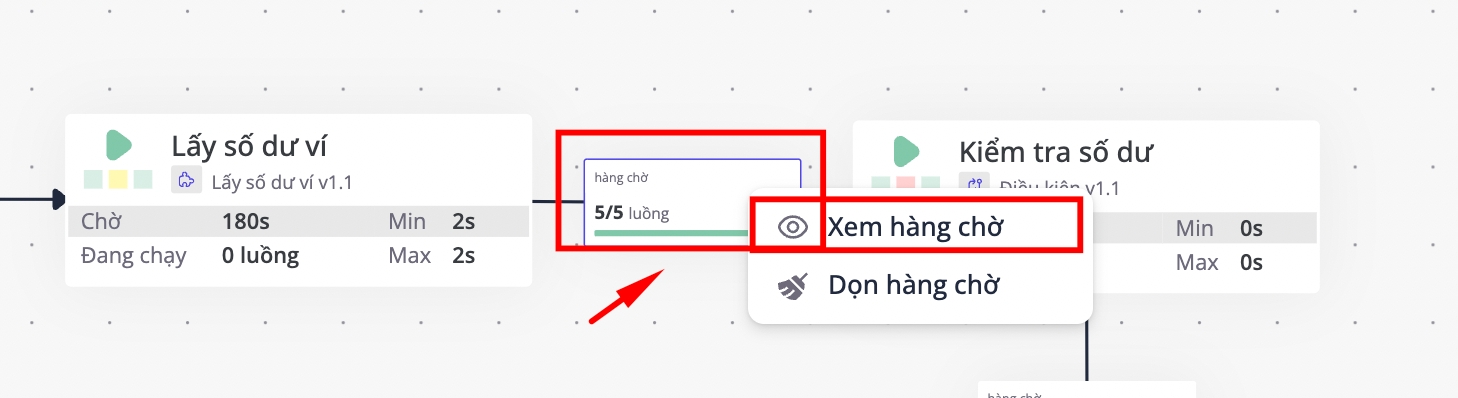
If you choose Clear queue, every profile currently waiting is removed from the active flow, and the flows pull in new profiles to keep running.
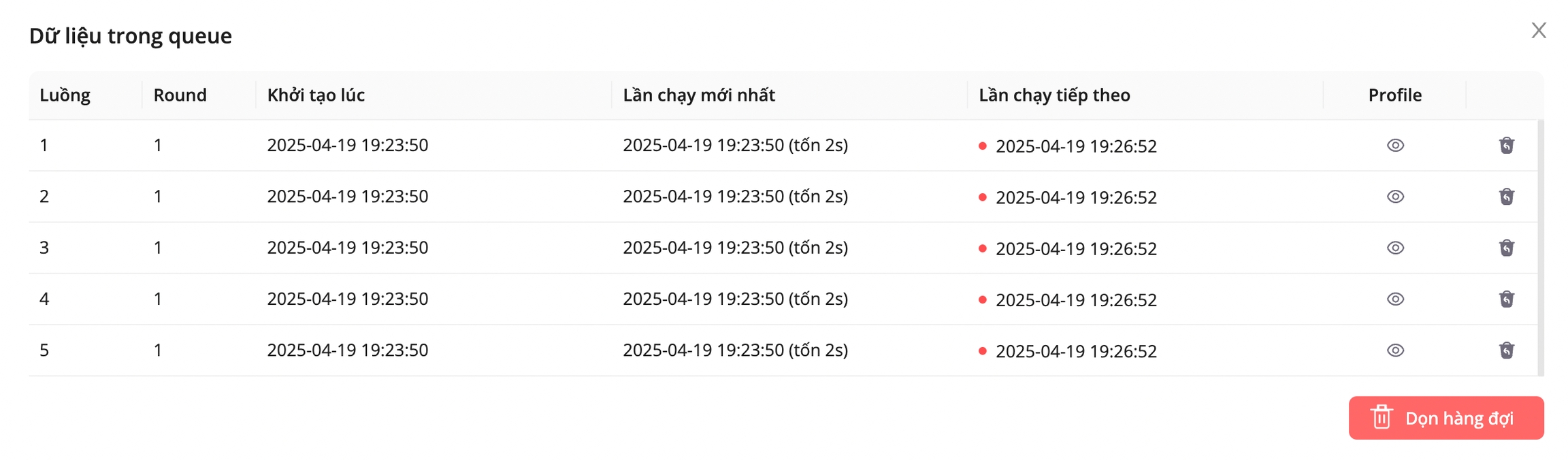
Inspect the profile details inside queue
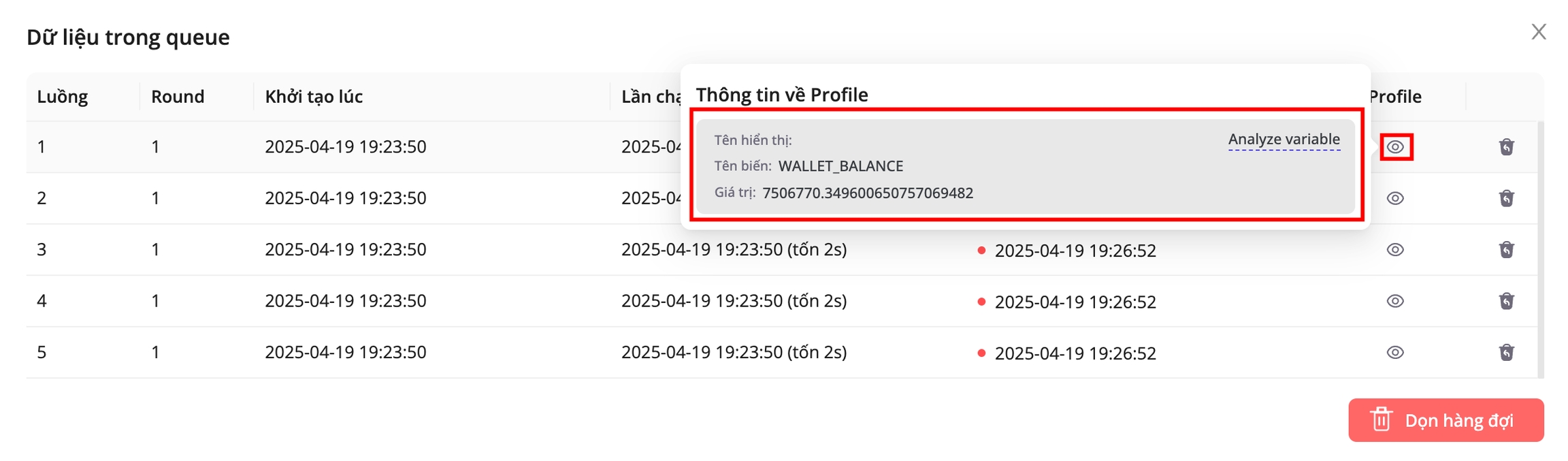
To see the details for any profile in the queue, hover your mouse over the Profile column.
As each processor runs, the variables attached to the Profile can change based on your Script. To track those value changes or to debug, you can inspect the variables directly in the queue.
Last updated