
Schedule managment
schedule script execution
This feature allows you to schedule script execution. Note: Only scripts that are part of a campaign can be scheduled.
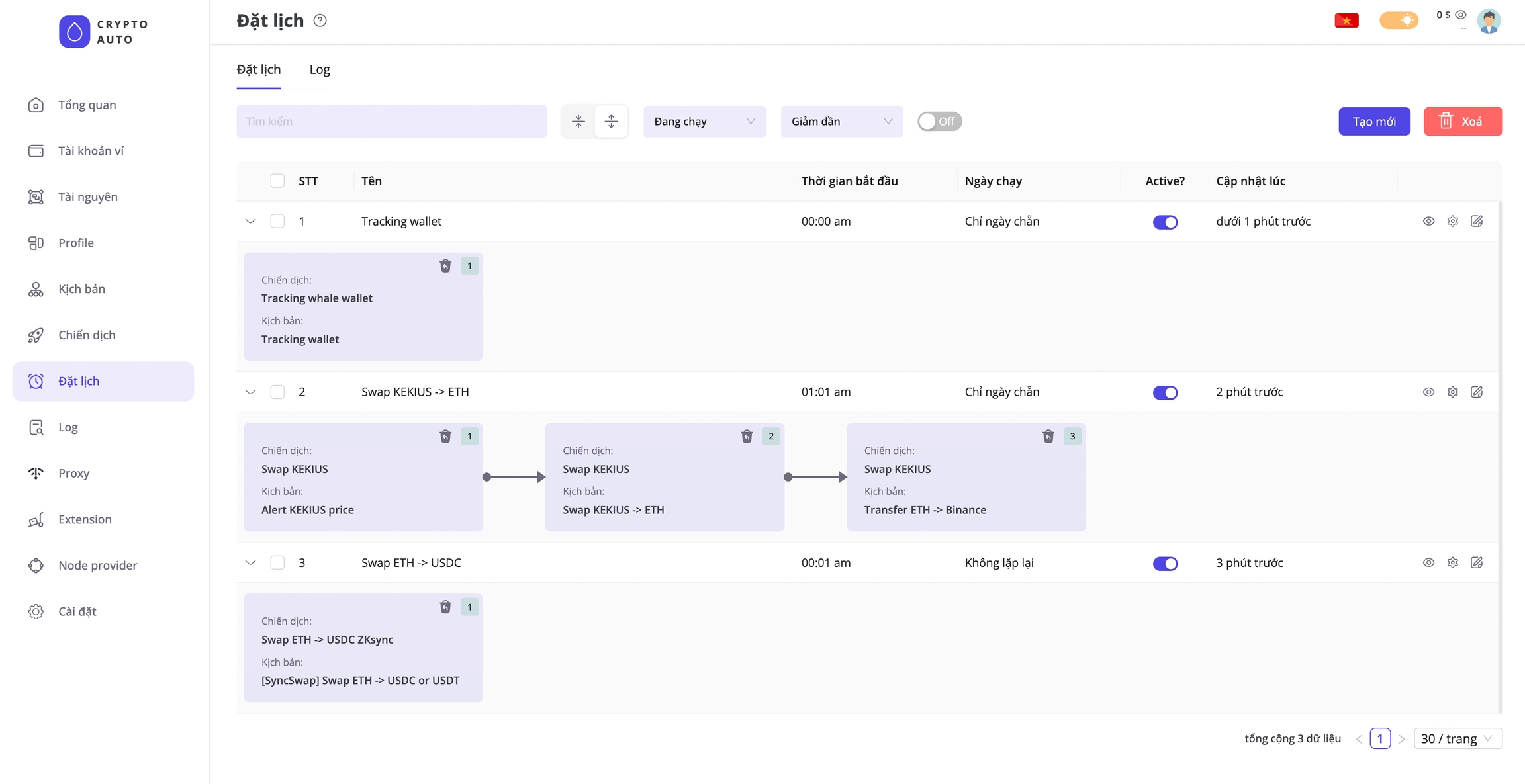
You can configure scripts to run in various modes, for example:
Schedule a script to run daily, starting at 7 AM
Schedule a script to run only once, starting at 7 AM on January 1, 2025
Schedule a script to run only on even-numbered days, starting at 7 AM
Schedule three different scripts to run in sequence, starting at 7 AM. Each script will begin only after the previous one has finished, following this order:
Script 1→Script 2→Script 3.
Scripts within the same schedule will run sequentially, while scripts in different schedules can run in parallel. For example, Schedule 1 includes Script 1 → Script 2 → Script 3, and Schedule 2 includes Script 4 → Script 5 → Script 6. Scripts 4, 5, 6 can run in parallel with Scripts 1, 2, 3. This means you can execute many different scripts simultaneously using the scheduling feature.
Last updated