
Overview
All features of CryptoAuto are designed to help you create automated workflows for retroactive tasks, airdrop farming, or bot operations. The key features are conveniently displayed in the sidebar. The three most important functions are: Script, Campaign, and Schedule. The remaining features serve as support tools or inputs for these main functions:
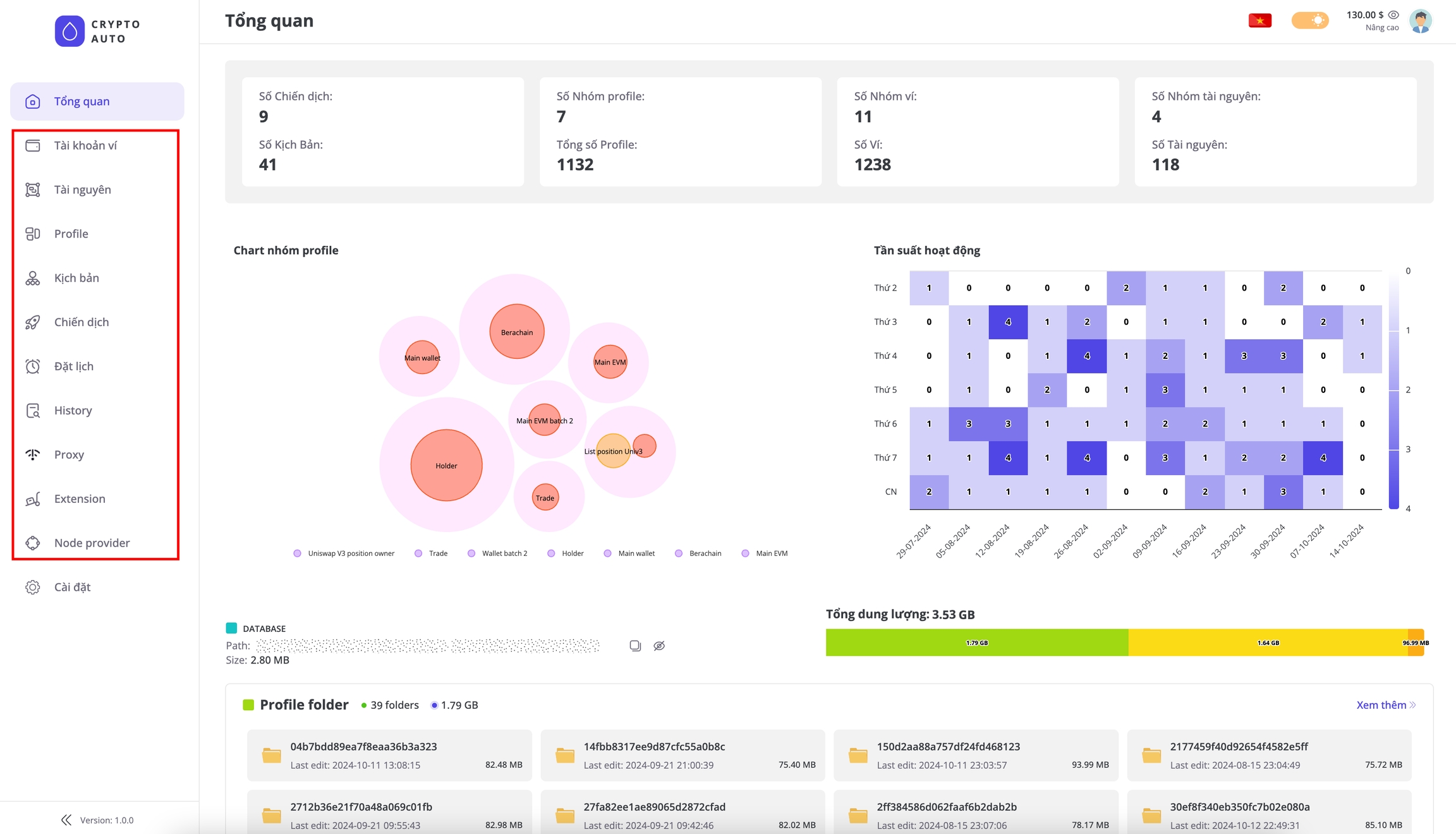
Script management
The Script feature is the most important function—you’ll use it more than any other part of the software. It allows you to easily manage and build workflows such as auto-clicking or interacting with the blockchain, all through a simple drag-and-drop interface.
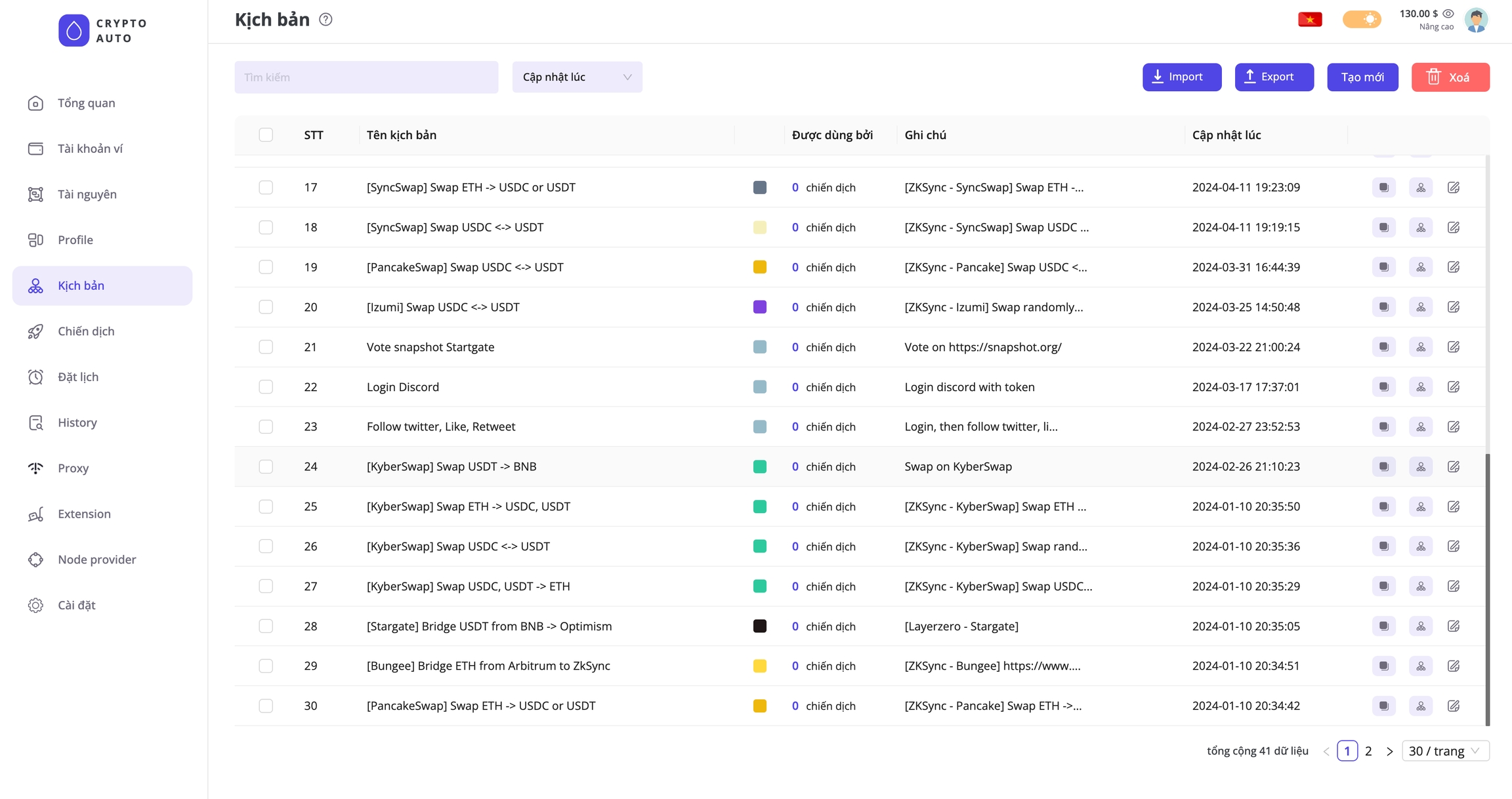
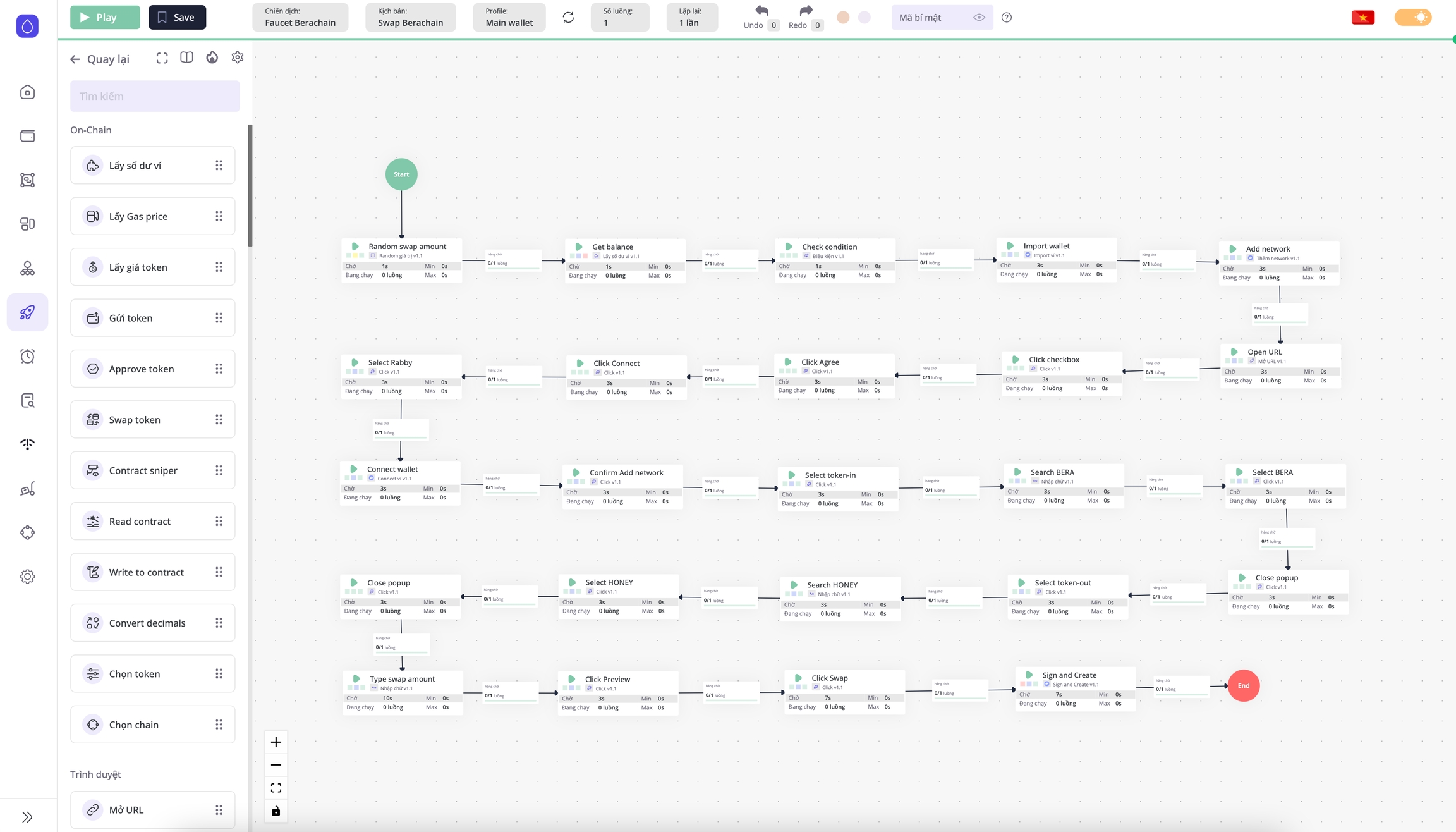
All workflows are executed locally on your computer. Most current retroactive and airdrop tools use auto-clicking and Chrome emulation techniques. CryptoAuto also supports similar features.
In addition, we also support building scenarios that interact directly with the blockchain and smart contracts - these workflows do not require Chrome to run. This means that even users with no coding experience can create blockchain bots, such as trading bots or sniper bots (similar to Telegram bots). Importantly, these bots run locally on your own computer, and all wallet data is encrypted and stored on your device, ensuring your security and peace of mind.
Campaign management
Once you have created a workflow, you need to set up a Campaign to run it. Simply put, each workflow serves as a guide that outlines the tasks and their execution order, while the campaign is where these tasks are actually carried out.
For workflows that require input data, the campaign is also where you configure these inputs. For example, if you want to run a Swap workflow on the Uniswap interface for 100 wallets, the campaign will take each wallet from your list and execute the workflow for each one in turn. The input data for a workflow is referred to as a Profile.
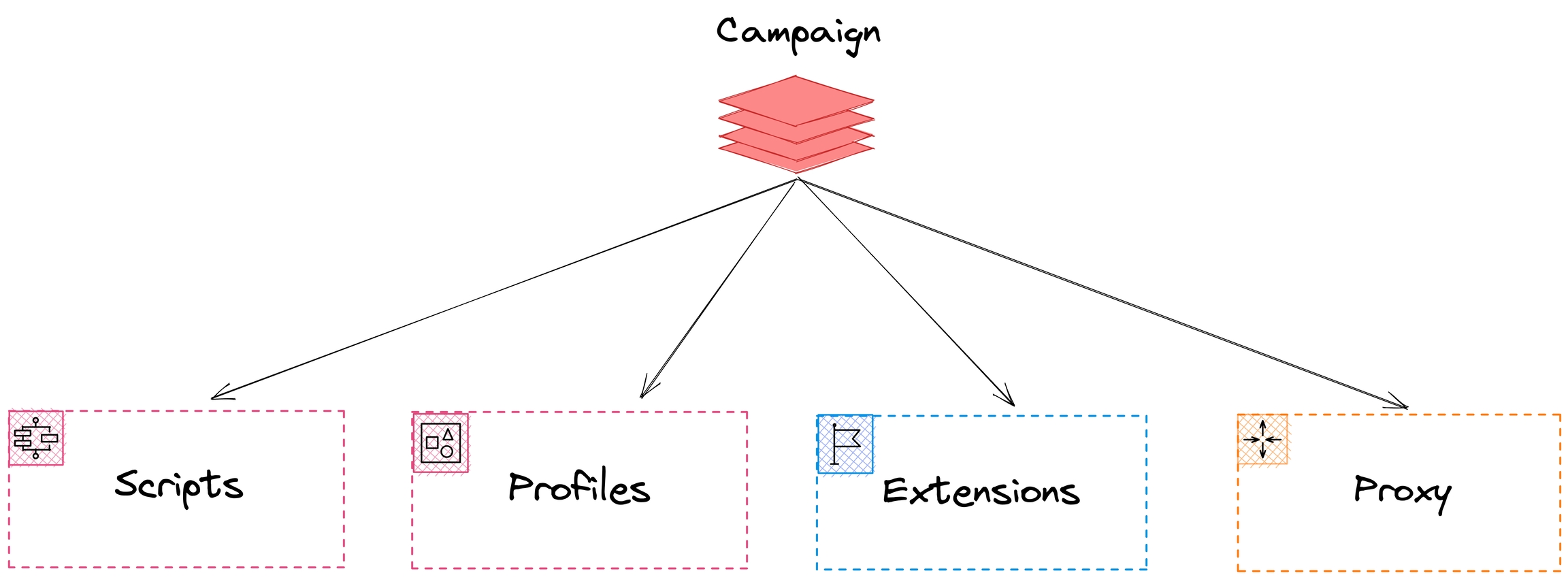
Additionally, Campaign allows you to configure extensions (such as Metamask, Rabby, Phantom, Martian, etc.) and set up proxies (in case you want to use a fake IP) when running workflows.
Schedule management
Once you have created your campaigns, you can immediately run your workflows. However, if you need to schedule campaigns to run at specific times or want to repeat them multiple times, you should use the scheduling feature. The software is capable of managing and executing many campaigns simultaneously.
Các chức năng khác
Wallet management and Resource management serve as inputs for creating Profiles. This is a straightforward function and will be explained in detail later.
The Proxy feature helps you manage proxies or third-party proxy services (the software currently has built-in support for WWProxy and Tinsoft).
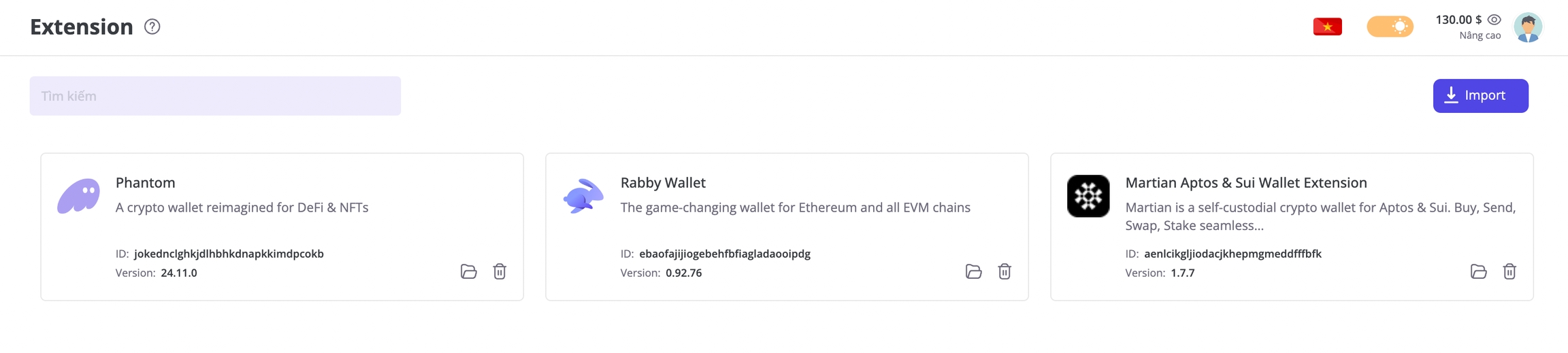
The Extensions management allows you to install extensions into Chrome profiles, which can be used in scenarios that require interaction with browser extensions.
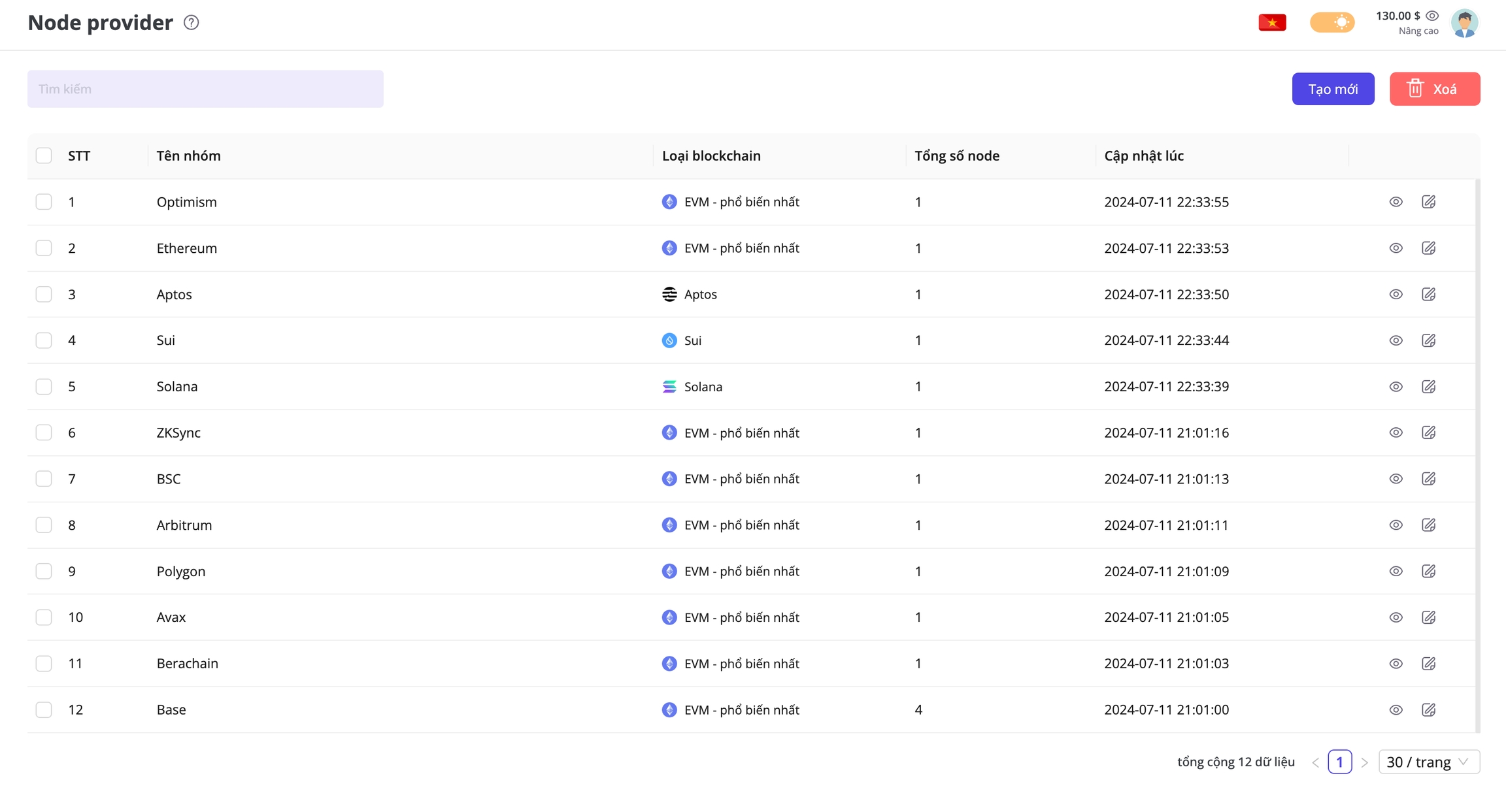
Chức năng Node provider dùng để quản lí URL của node blockchain (hay còn gọi là node RPC URL), các node provider này cần dùng trong các kịch bản tương tác trực tiếp với blockchain, smart contract (đọc, ghi dữ liệu lên blockchain)
Last updated