
General settings section
all Processors are the same in this section
All Processors share the same general settings section as follows:
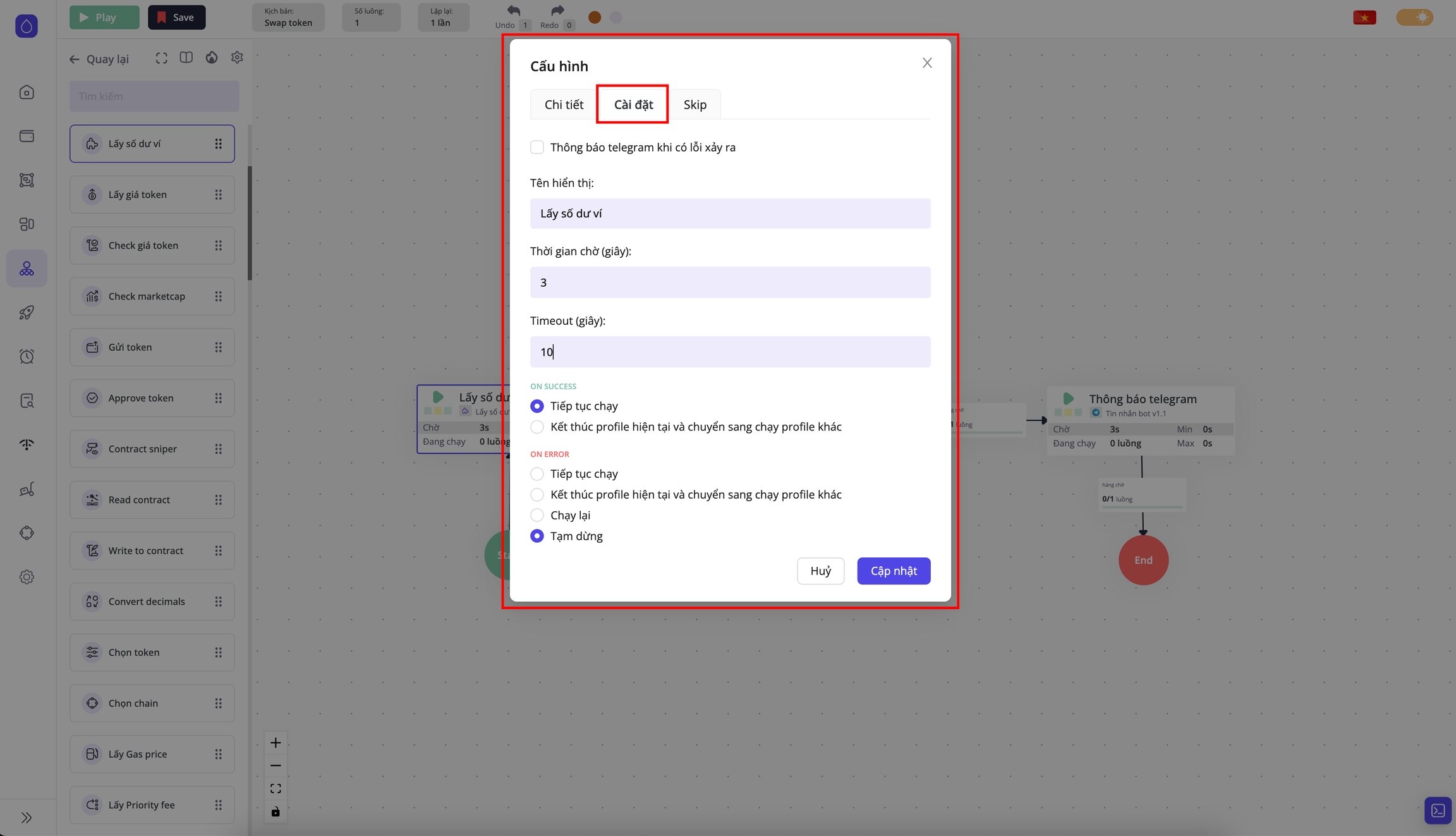
This section contains key settings that define how a Processor runs:
Wait time (seconds): After this Processor finishes running, the script will wait for a specified period before proceeding to the next Processor. For example, if the wait time is set to 3 seconds, the script will pause for 3 seconds after theBalance retrievalProcessor completes, before moving on to theUniswap swapProcessor. If the wait time is set to 0, the script will immediately proceed to the next Processor without waiting.Timeout (seconds): The maximum time allowed for a Processor to complete its task. For example, if the timeout is set to 10 seconds and theBalance retrievalProcessor does not finish within that time, the script will report an error. How this error is handled will be specified in the On error section.
Processor result handling
When a Processor finishes running, there are two possible outcomes:
On success: The Processor successfully completes its task.
On error: The Processor reports an error during execution, which may be due to exceeding the maximum timeout or another issue.
For the On success result:
Continue execution
The script will wait for the specified Waiting time before proceeding to the next Processor
End the current profile and switch to running the next profile.
The script will not proceed to the next Processor but will stop immediately, marking the current Profile as having completed one round. A new Profile will then be selected to start the next run
For the On error result:
Continue execution
The script will wait for the specified Waiting time before proceeding to the next Processor
End the current profile and switch to running the next profile for a new round
The script will not proceed to the next Processor but will stop immediately, marking the current Profile as having completed one round. A new Profile will then be selected to start the next run
Retry execution
The current Profile will be restarted from the beginning of the script, starting at Start
Pause
Pause the entire script, including all parallel threads currently running within the script
Last updated