
Processor Contract sniper
This processor allows you to monitor smart contracts through events. It only supports EVM chains and can be applied in various scenarios, such as:
Monitor swaps in a Uniswap or PancakeSwap pool by watching the Swap event.
Track a wallet’s incoming and outgoing tokens by listening to the Transfer event.
Monitor a launchpad, when a new token goes live, automatically execute early buys across multiple wallets.
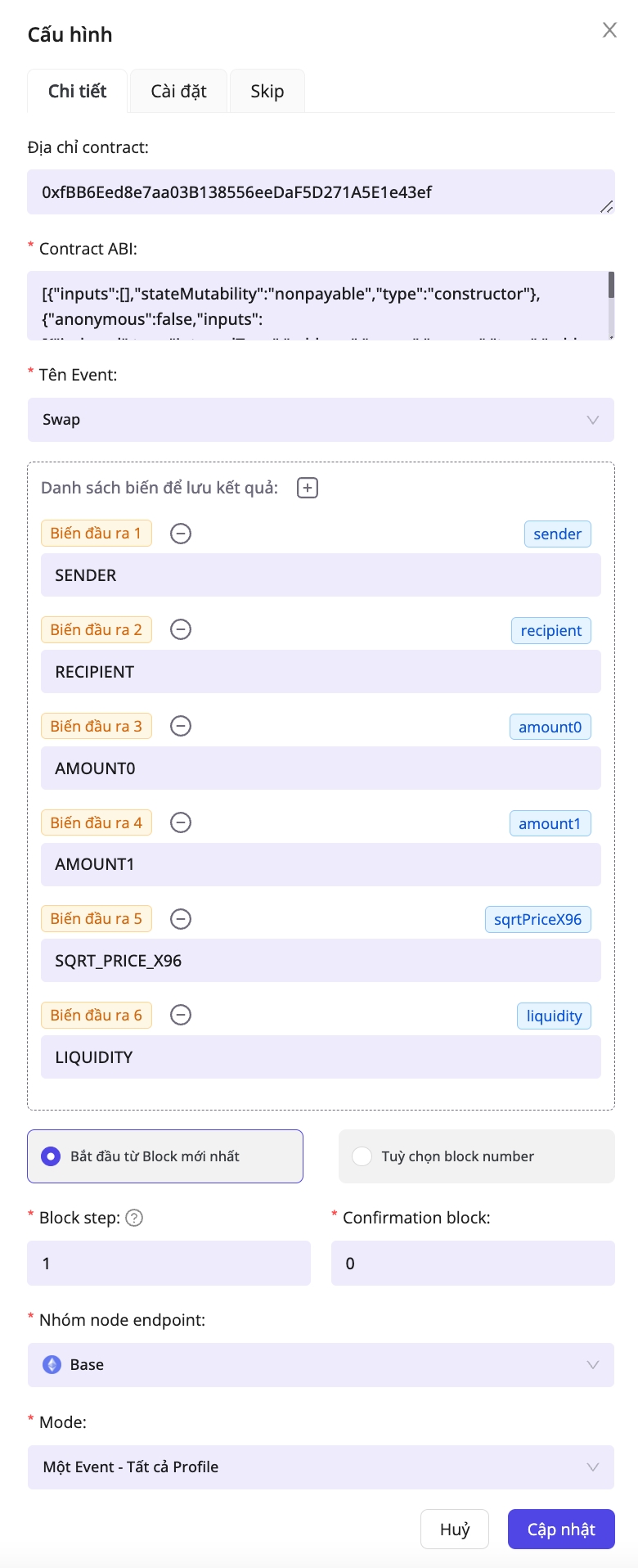
Configuration meanings:
Contract address
No
Multiple contracts can emit the same event. If you only care about one contract, enter its address in this field
Contract ABI
Yes
ABI of contract
Event name
Yes
The event name whose data you want to capture
List the variables for storing result
Yes
These variables depend on the Contract ABI. Once you fill in the contract ABI and event name, just click the + button - the variable names will be auto-populated based on your selections.
Start from the current block.
No
The processor starts scanning for events from the current block
Optional block number
No
The processor scans events within a specific block range. If you pick this option, you’ll need to provide a Starting block number and an Ending block number
Block step
Yes
How many blocks to fetch per call to the node provider. In most cases, set this to 1
Confirmation block
How many blocks behind the latest head the event fetch should start. Set this to 0 if you want to capture new events as quickly as possible
Node endpoint group
Yes
Select the node provider to interact with the blockchain
Mode
Yes
Choose how profiles consume events from the processor’s queue. You can deliver Each event - All profiles, or limit it so One event - One profile. In most cases, Each event → All profiles is the preferred mode
The event queue inside the Contract Sniper processor
Each Contract Sniper processor maintains its own queue for storing events. They’re processed first in, first out—the oldest event leaves the queue first.
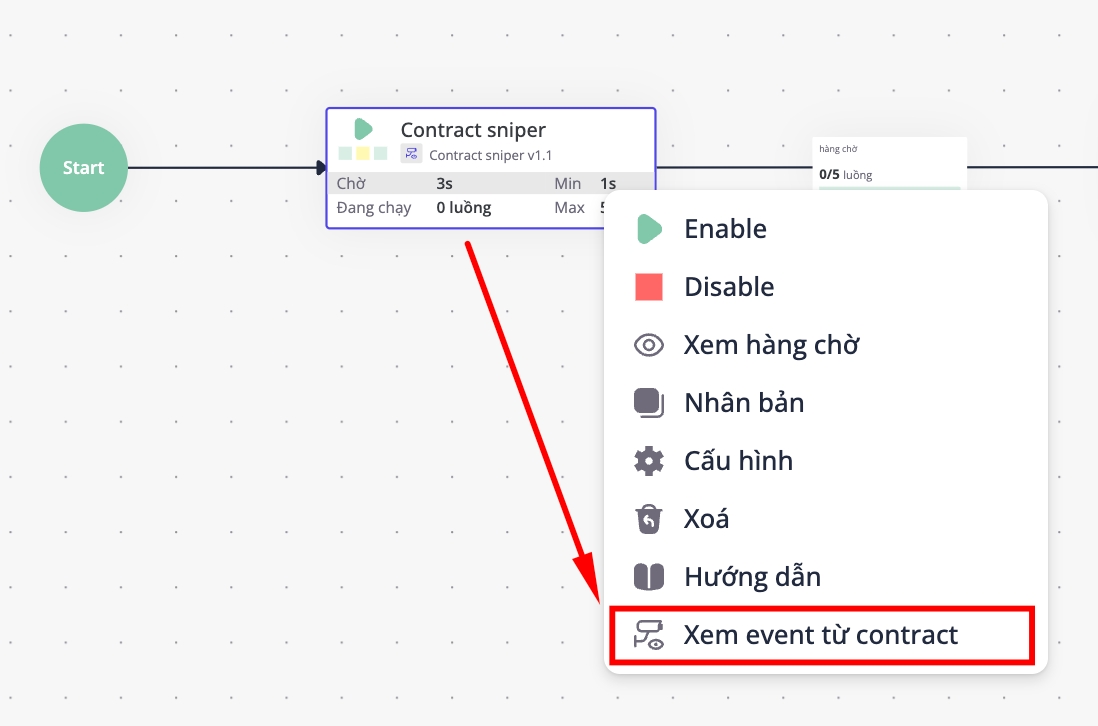
To review the queued events, left-click the processor and select View events from contract
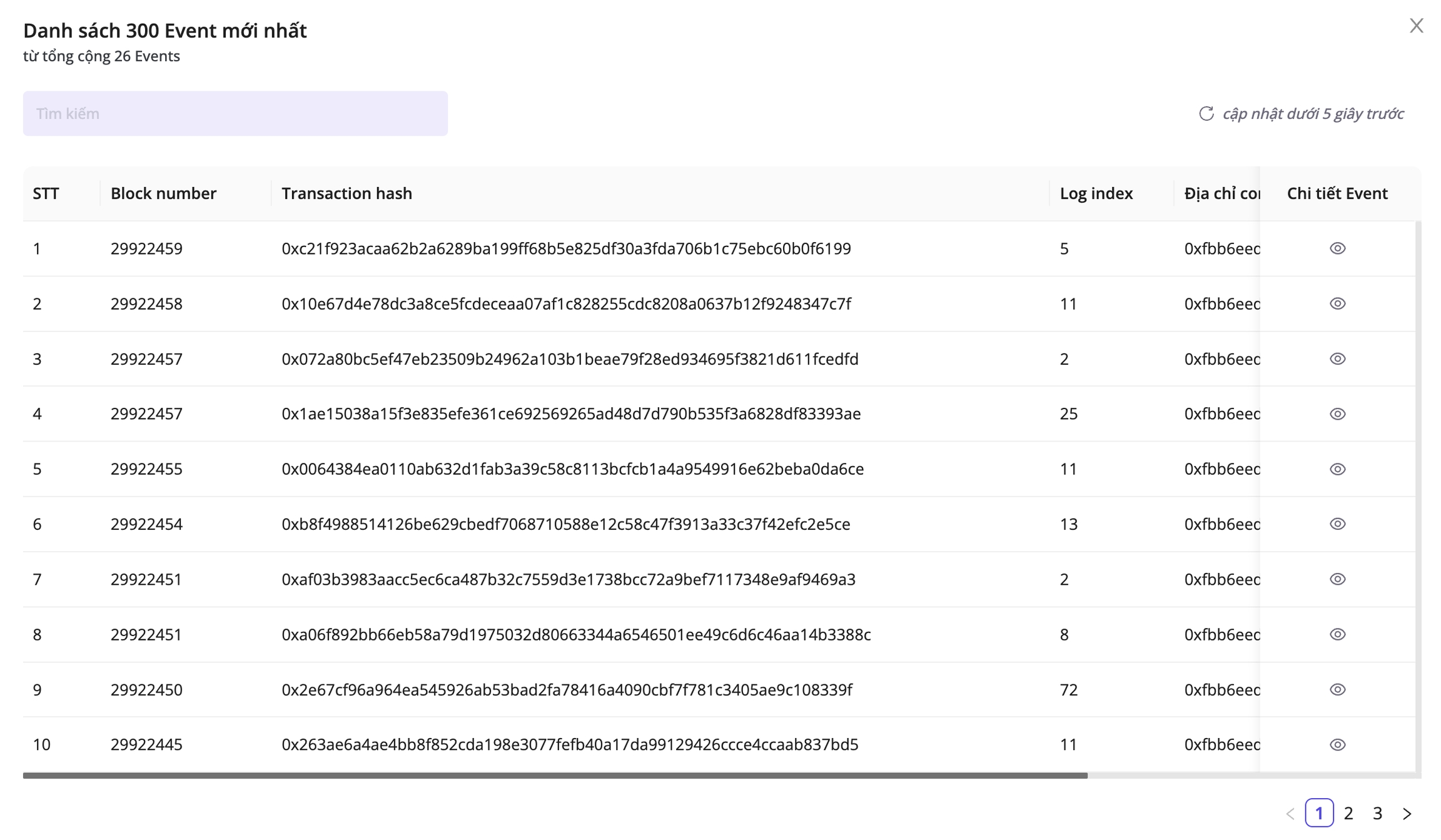
The mode that governs how events and profiles interact.
As mentioned earlier, every processor keeps its events in a queue, with the oldest event pulled first. Each event can run in one of two modes:
One Event → All Profiles: the most common setup. A single event runs across every profile to finish one round. After all profiles complete that round (say, round 1) and start the next (round 2), the processor pulls a new event from the queue to continue processing.One Event → One Profile: each event is processed by a single profile. Within the same round, different profiles pull different events from the queue.
Suppose the queue holds five events from oldest to newest - Event 1 - Event 2 - Event 3 - Event 4 - Event 5 - and you have 2 profiles, Profile 1 and Profile 2, running two consecutive cycles. Here’s what each mode looks like:
One Event → All Profiles mode
Profile 1kicks off, pullsEvent 1, and wraps up round 1.Profile 2runs next, pullsEvent 1again, and finishes round 1.Once every profile completes round 1, Event 1 is removed from the queue before round 2 starts.
Profile 1resumes, pullsEvent 2, and completes round 2.Profile 2runs, pullsEvent 2again, and wraps up round 2.The Script ends once every profile has finished round 2.
This mode is common in sniper bots. For example, if you’re monitoring a wallet and spot it launching a token and creating a Uniswap pool, you can have every wallet (that is, every profile) execute a swap to buy that token.
One Event → One Profile mode
Profile 1runs, pullsEvent 1, finishes round 1, and thenEvent 1is removed from the queue.Profile 2runs, pullsEvent 2, finishes round 1, andEvent 2is cleared from the queue.Profile 1runs, pullsEvent 3, completes round 2, andEvent 3is removed from the queue.Profile 2runs, pullsEvent 4, wraps up round 2, andEvent 4is cleared from the queue.The Script ends once every profile completes round 2, leaving
Event 5unused.
Use this mode when a single wallet (a single profile) is enough to handle each event.
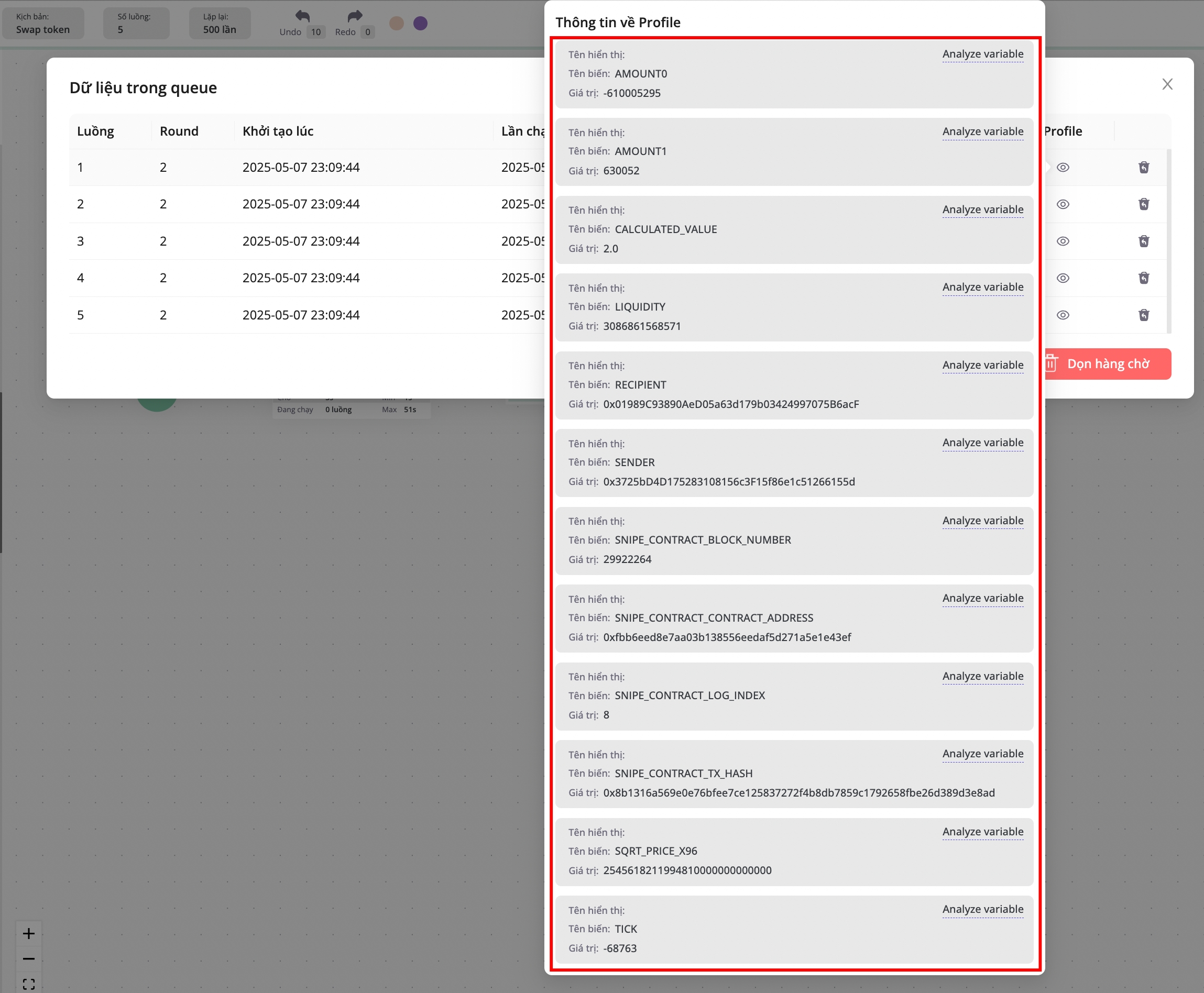
Variables returned by the event
Event data is assigned to each profile through variables. The specific fields and variable names depend on how you configure the event, but every event always includes these four default variables:
SNIPE_CONTRACT_BLOCK_NUMBER: block number of eventSNIPE_CONTRACT_CONTRACT_ADDRESS: the contract address that emitted the eventSNIPE_CONTRACT_LOG_INDEX: the event’s log index within the transaction’s log arraySNIPE_CONTRACT_TX_HASH: the transaction hash of the event
Last updated