
Processor Check token price
This processor helps you check whether a token’s price meets the specified condition.
Unlike the Get token price Processor, the Check token price Processor evaluates the token’s price over a specified timeframe and only returns TRUE if every price datapoint within that period meets your chosen condition. This helps avoid sudden price spikes or drops, and prevents false signals caused by brief candle wicks.
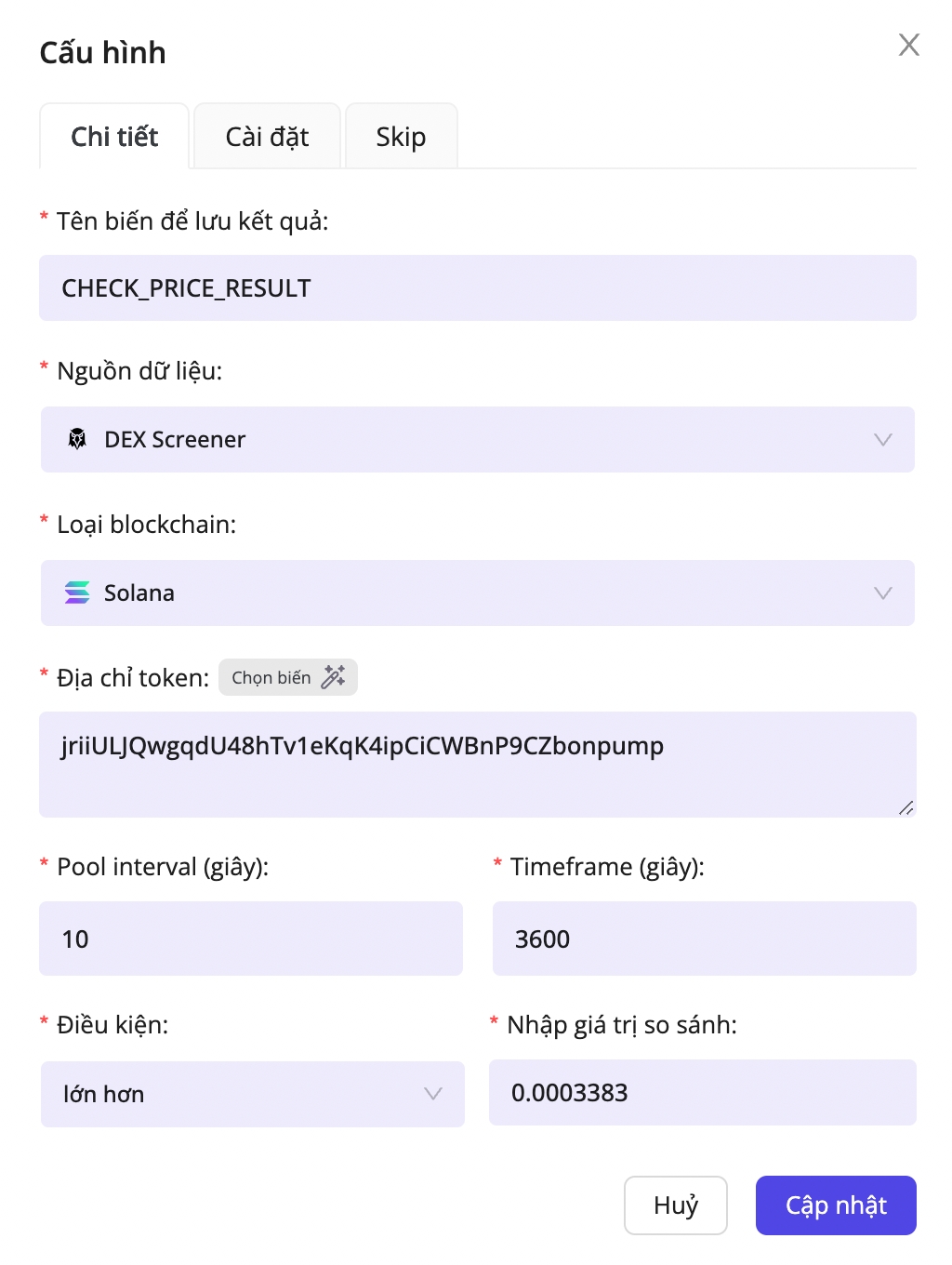
For example, if you’re creating a limit order scenario to sell ELXAI with the condition that, over the past 60 minutes, the price of ELXAI has always been greater than $0.0003383, you can use this processor
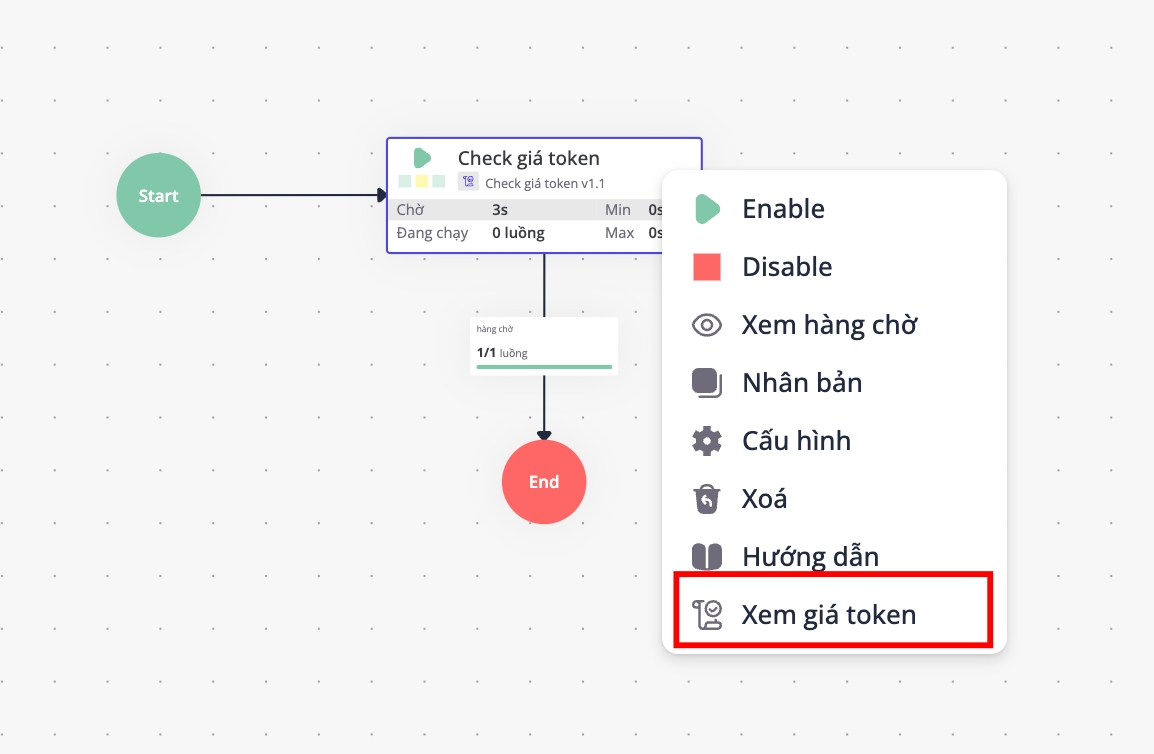
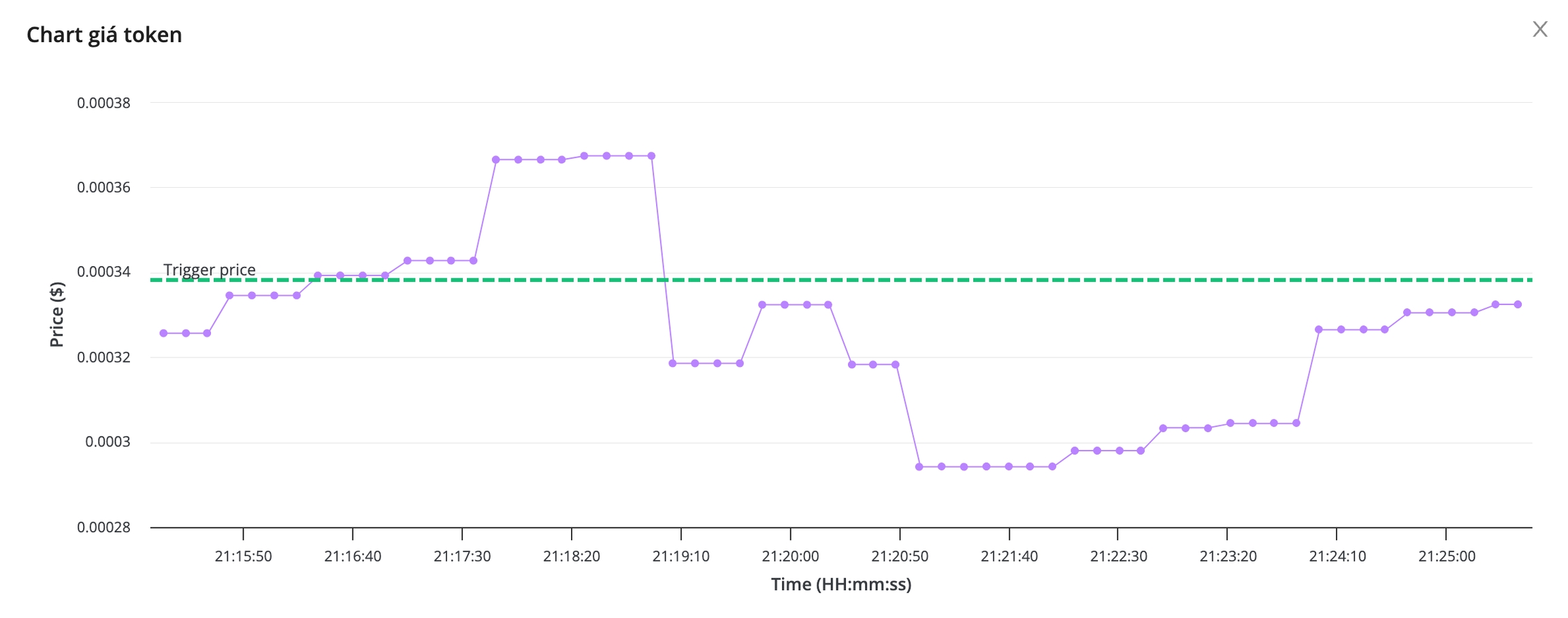
The processor will record token prices based on your selected timeframe and compare them against your chosen threshold (Trigger point). To view the token price history processed by the processor, right-click on the processor and select View token price :

TRUE or FALSEThe configuration of this processor is similar to the Get token price Processor, but it also includes additional fields for checking price conditions.
Configuration meanings:
Pool interval (second)
Yes
How many seconds between each price update
Timeframe (second)
Yes
The timeframe over which you want to check the price. For example, if you select 180 seconds, the processor will evaluate all price datapoints from the past 180 seconds and only return TRUE if every datapoint meets the specified condition
Condition
Yes
Condition type: greater than, less than, equal to, or not equal to
Enter the comparison value
Yes
The price threshold you want to check
Last updated