

On/Off profile Processor to mark Profiles with USDT balance below $500 as Inactive.
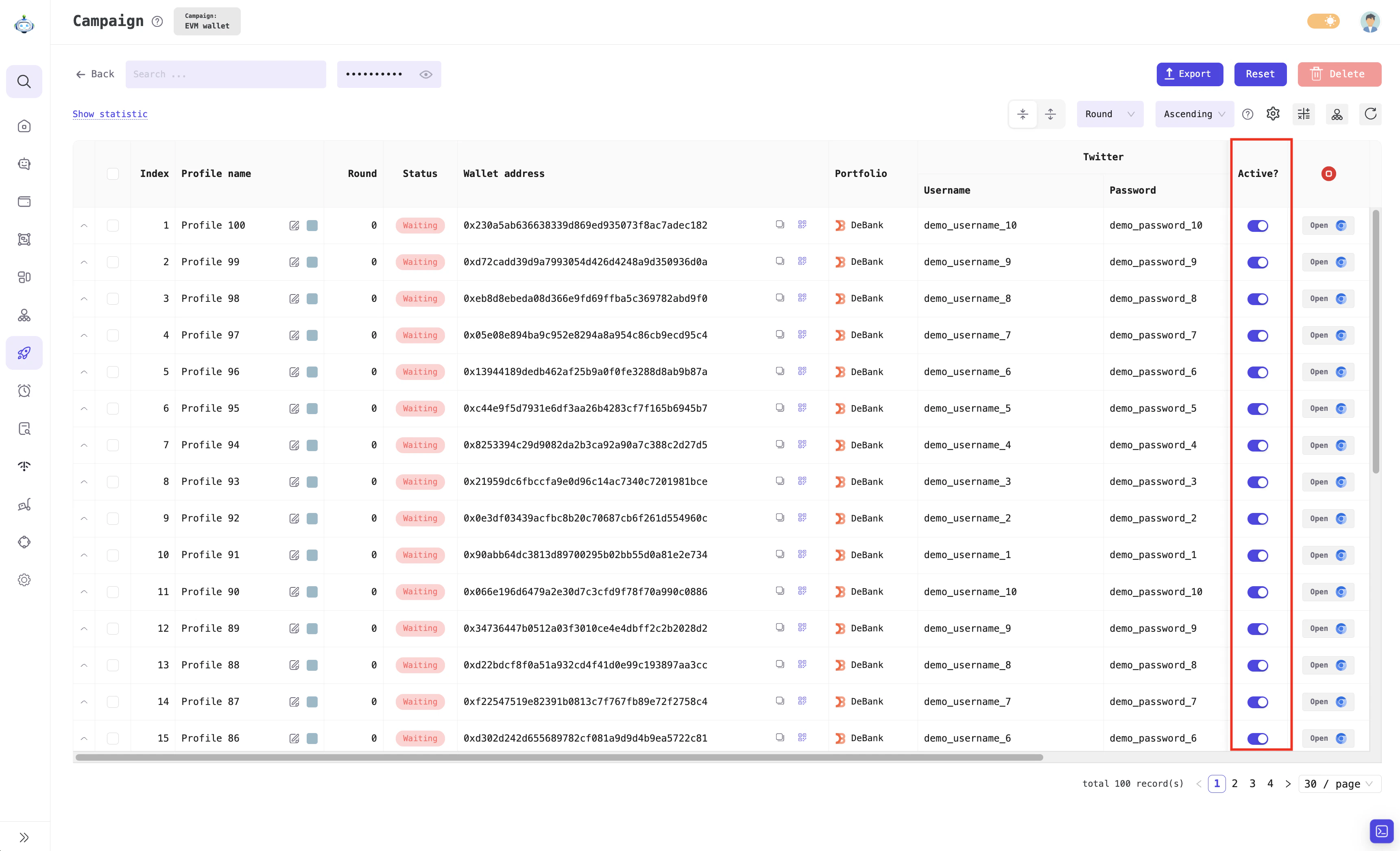
Profile status column: Active or Inactive
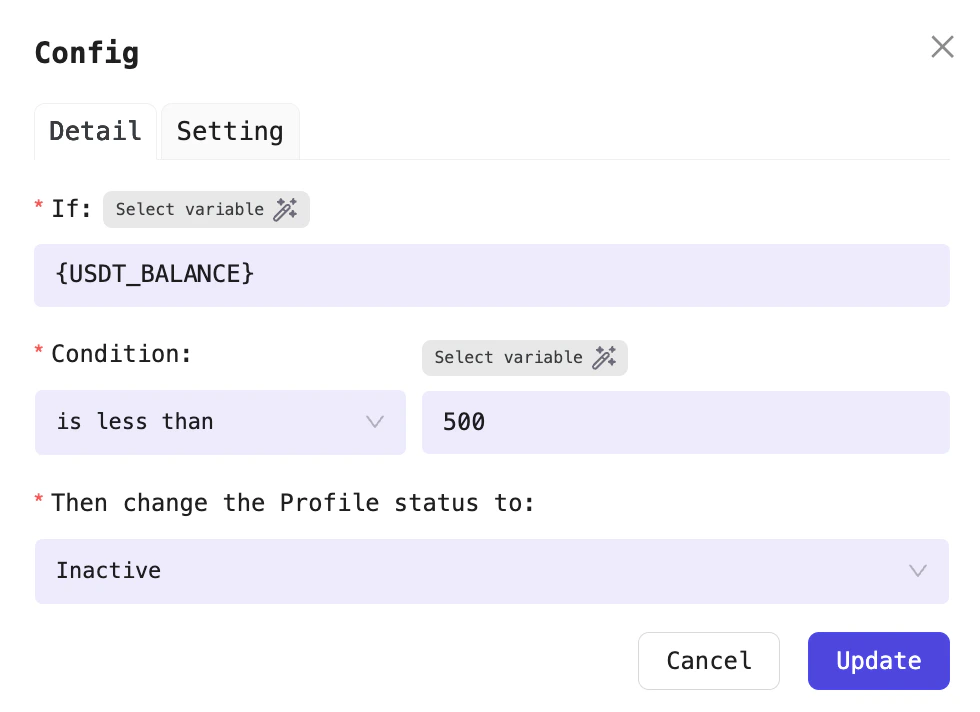
Mark Profiles with balance < 500 as Inactive
Mark profiles as active or inactive
On/Off profile Processor to mark Profiles with USDT balance below $500 as Inactive.
Profile status column: Active or Inactive
Mark Profiles with balance < 500 as Inactive