

WALLET_ADDRESS, WALLET_PRIVATE_KEY, WALLET_PHRASE, and more. Variables make Processors more flexible, allowing them to perform tasks based on specific inputs.
How to use variables
Variable names must be written in uppercase, without spaces, and should not contain special characters. To use a variable in a Processor, enclose its name in curly braces{ and }.
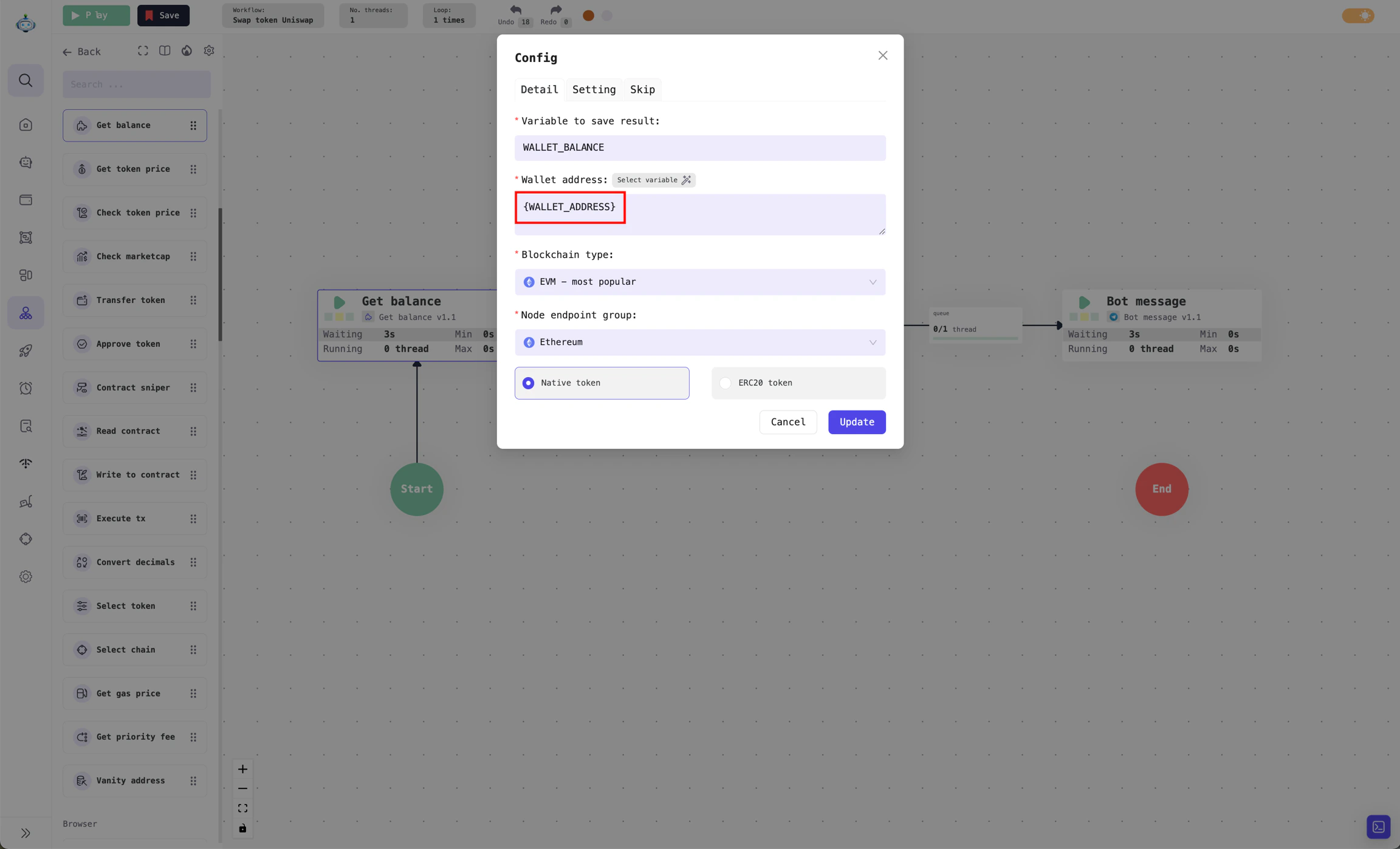
Example of variable WALLET_ADDRESS which stores address of the wallet
WALLET_ADDRESS, WALLET_PRIVATE_KEY, and WALLET_PHRASE, but their values will differ for each Profile. These variables store the wallet address, private key, and seed phrase, respectively.
List of default variables in the app
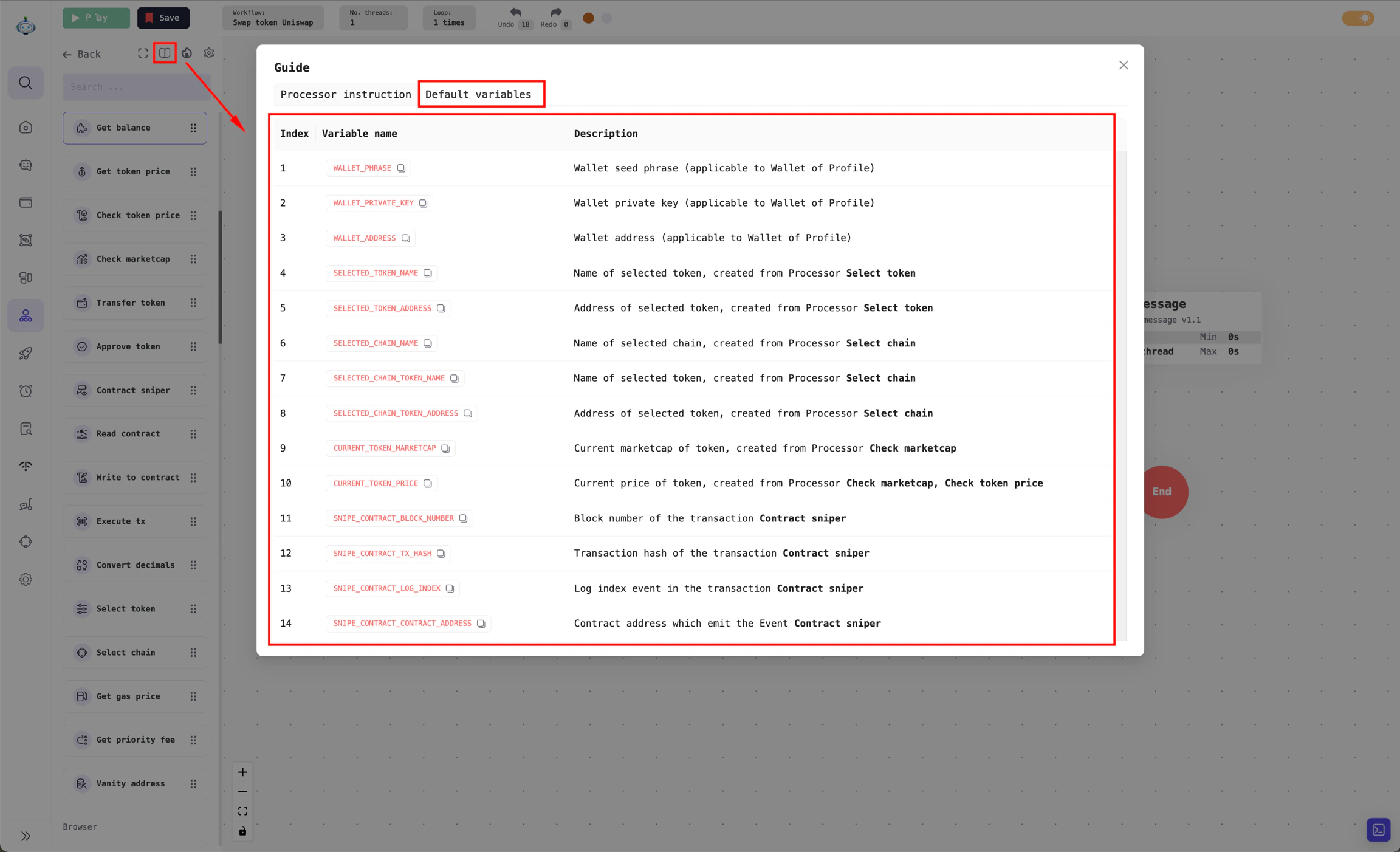
View the list of default variables
Variable as Processor result
For Processors that need to store returned results, you can save these results in a variable specified in theVariable to save result field.
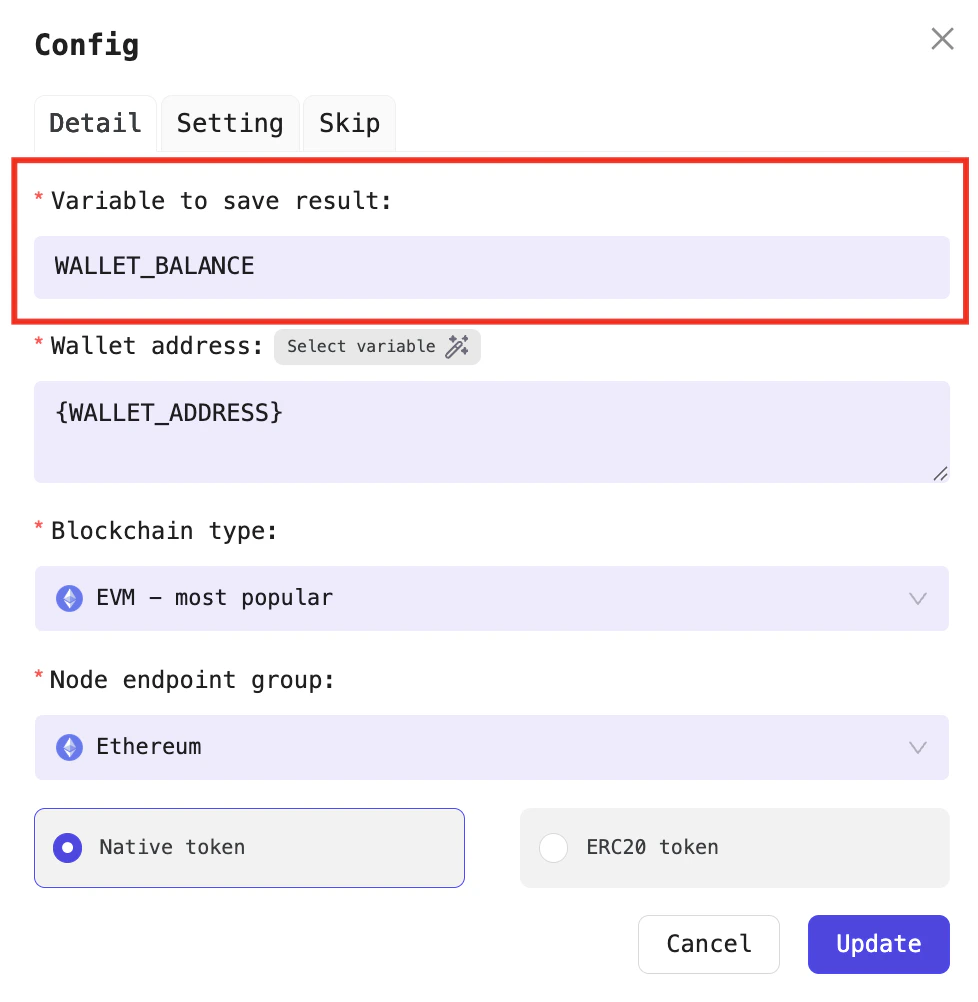
Example of storing the result from the Balance retrieval Processor
Note: It is recommended to use different variable names to store results for each Processor. If a subsequent Processor uses the same variable name as a previous one, the value will be overwritten by the latest Processor.
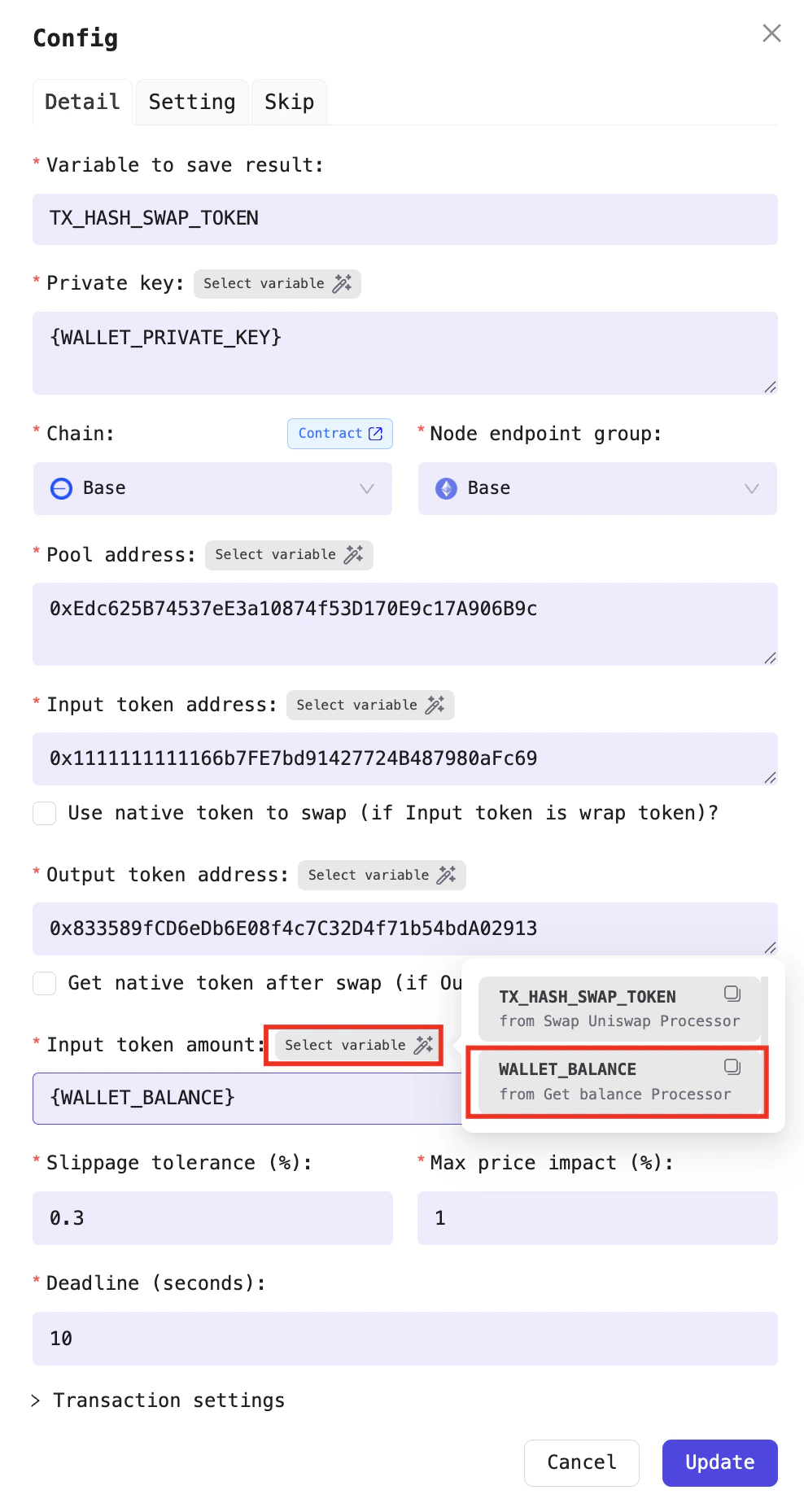
Select the variable for the Uniswap swap Processor
Uniswap swap Processor will use the wallet’s token balance from the WALLET_BALANCE variable, which is the result of the Balance retrieval Processor. You don’t need to enter the variable manually, just hover over the Select variable section and choose the variable you want to use.