
Processor Sign wallet
This processor handles the Sign and Create clicks inside Rabby for you. Before those clicks, you can adjust the gas limit and gas price as needed, the processor performs every action automatically according to your configuration.
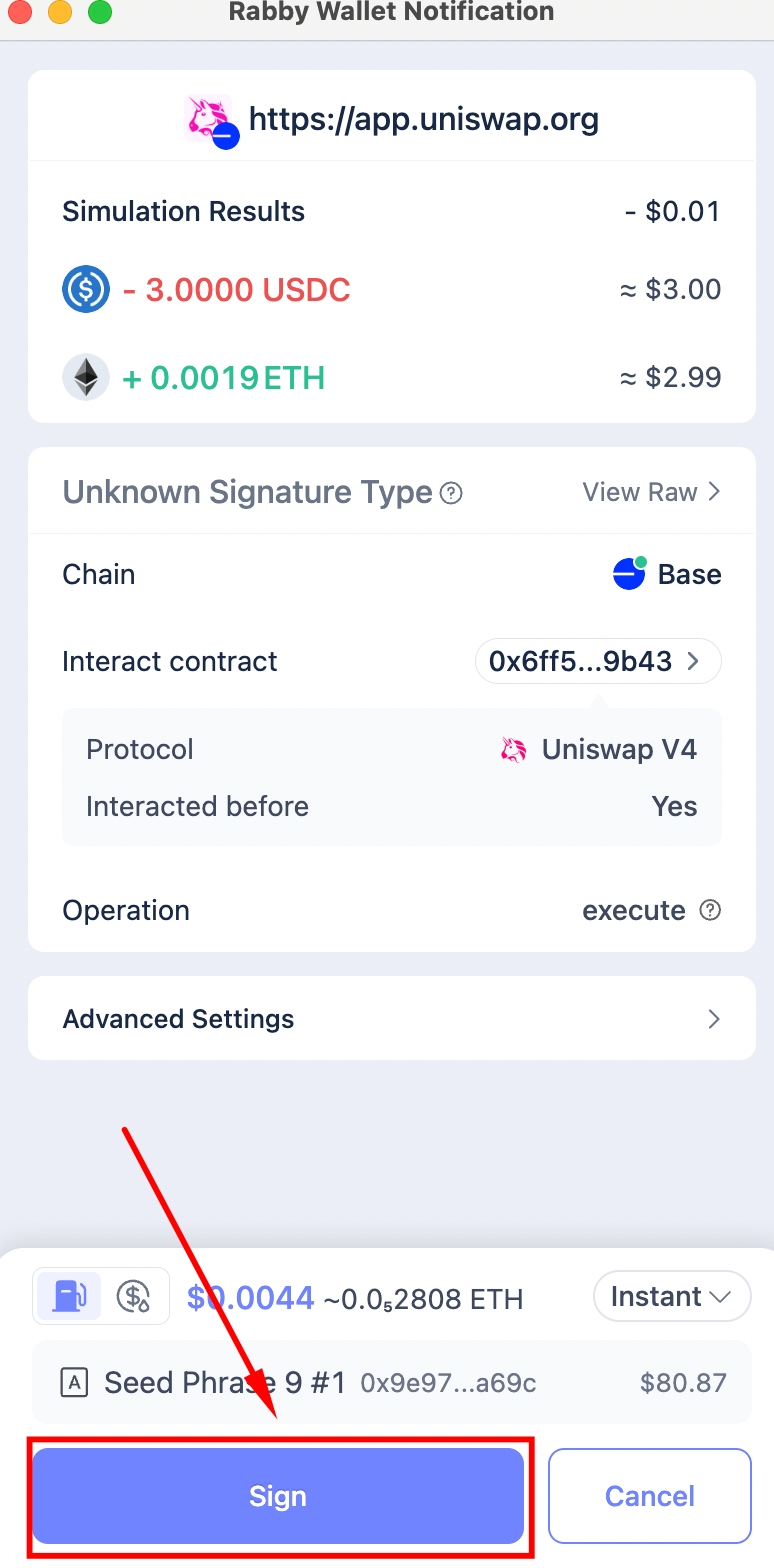
Sign in Rabby walletAfter Sign is clicked, the Create button appears and the processor clicks it automatically.
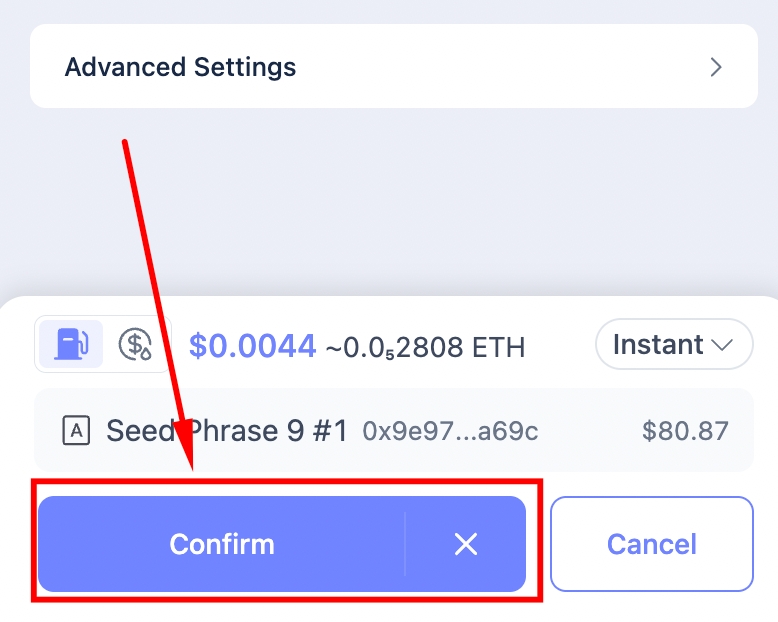
Create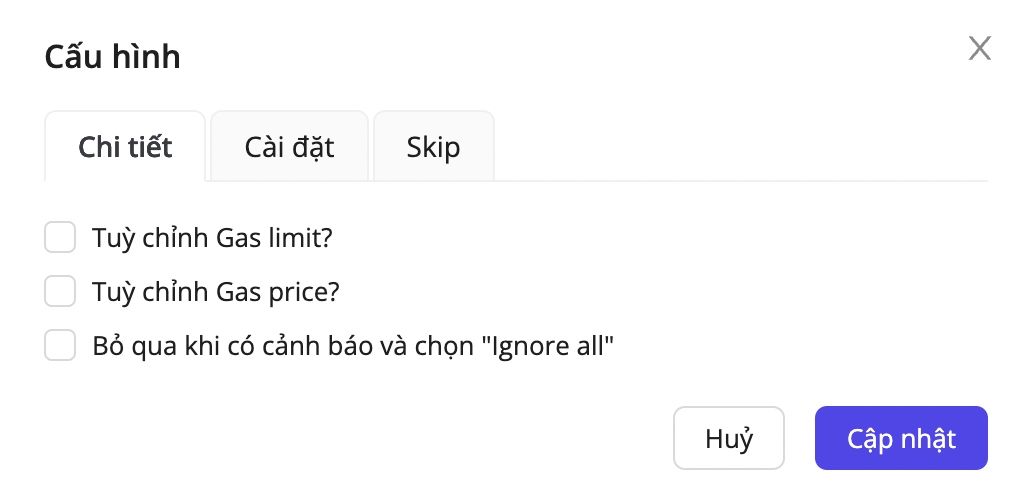
Configuration meanings:
Customize Gas limit?
No
Set a custom gas limit for the transaction
Customize Gas price?
No
Set a custom gas price for the transaction
Skip warnings and choose "Ignore all"
No
For contracts you haven’t interacted with, new or uncommon ones Rabby shows a warning with an Ignore all option. Enable that setting and the processor will automatically click Ignore all so it can continue signing the transaction.
Customize Gas limit
To customize the transaction’s gas limit, enable the Customize gas limit? option, then enter your desired value
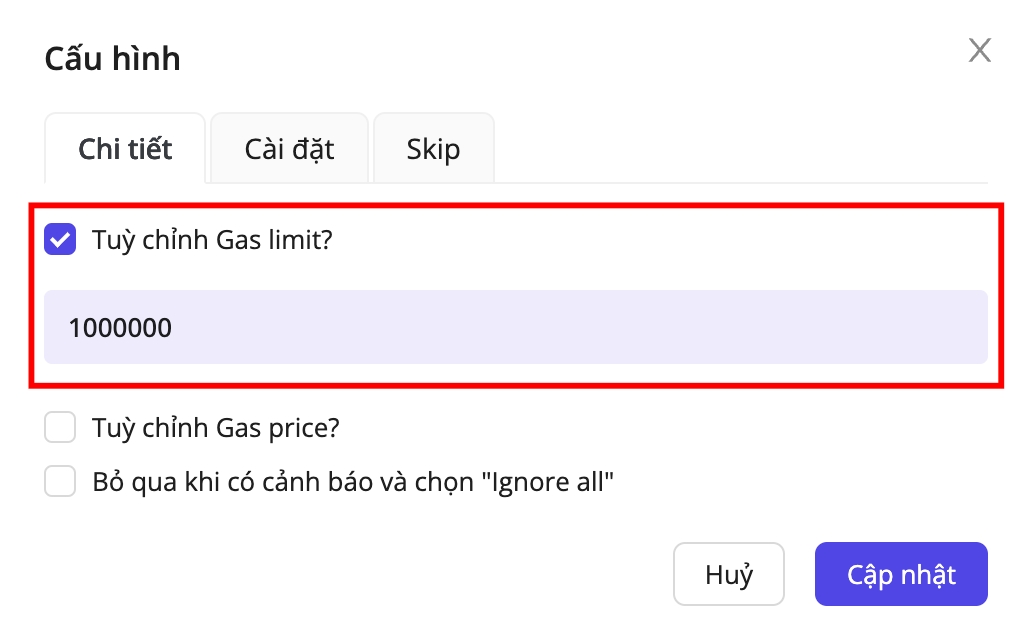

Advanced Settings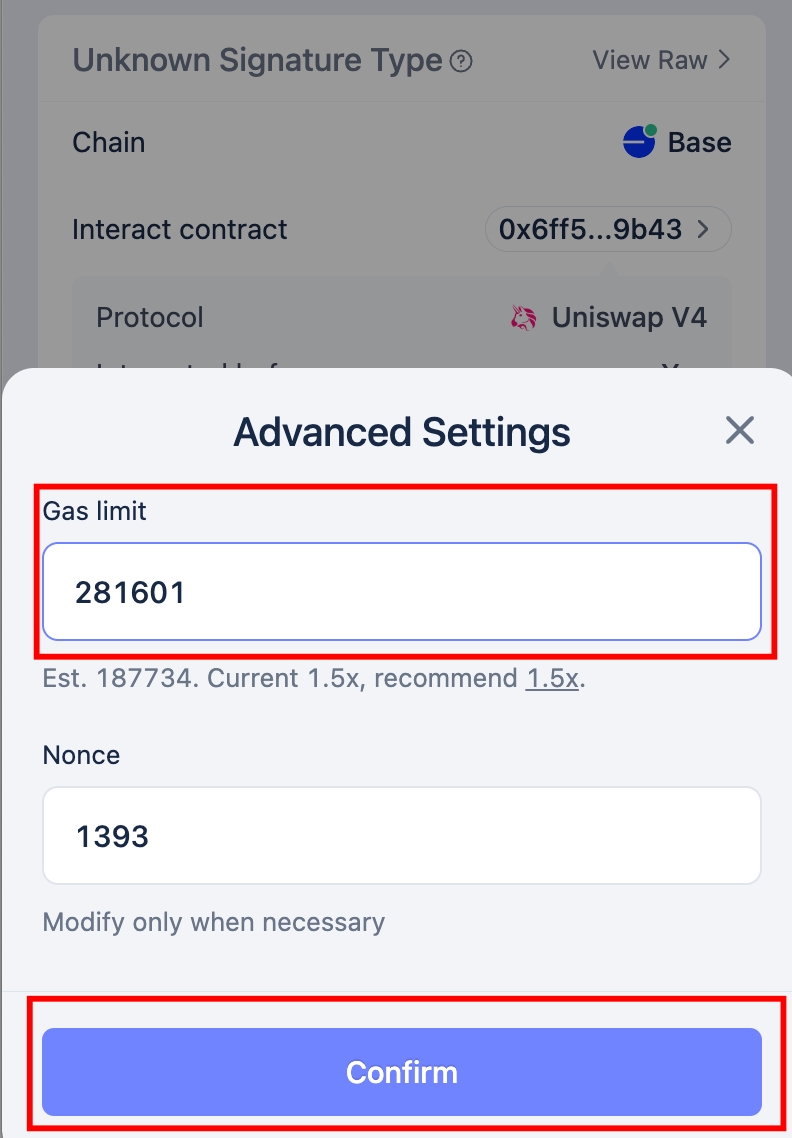
When the Advanced Settings popup appears, the processor applies your gas-limit settings, then clicks Confirm.
Customize Gas price
To customize the transaction’s gas price, enable Customize gas price? . You can then choose among four modes: Normal, Fast, Instant, or Custom:

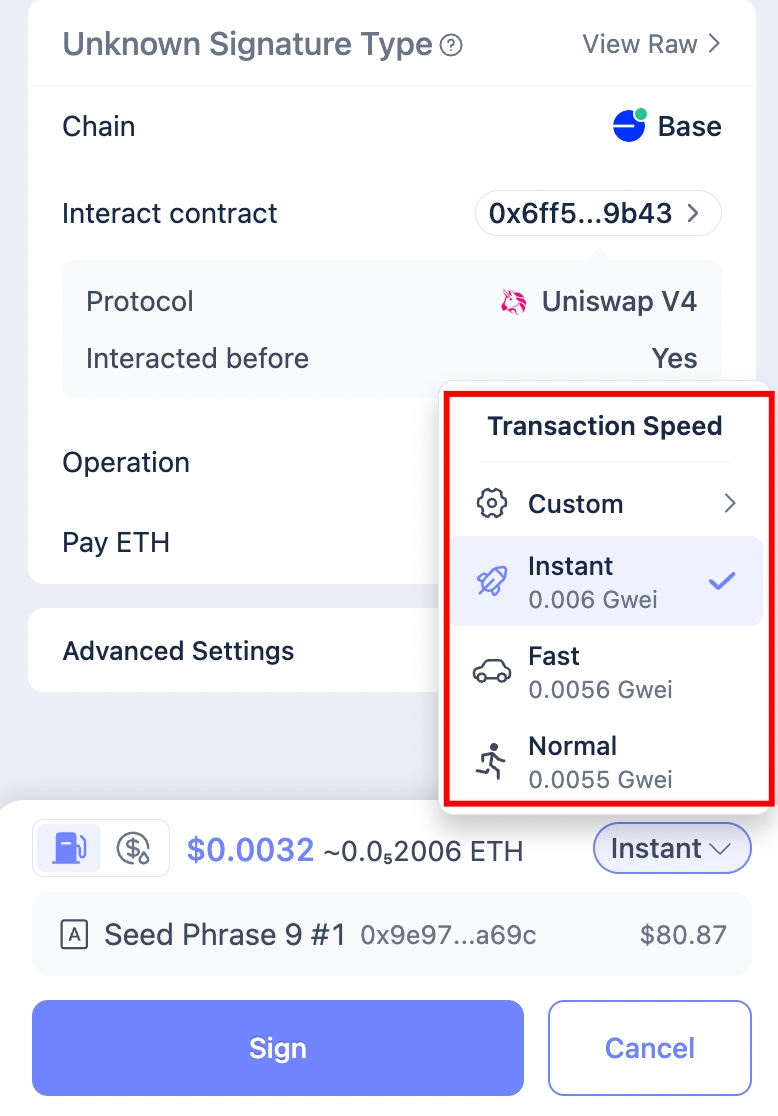
Adjust gas price
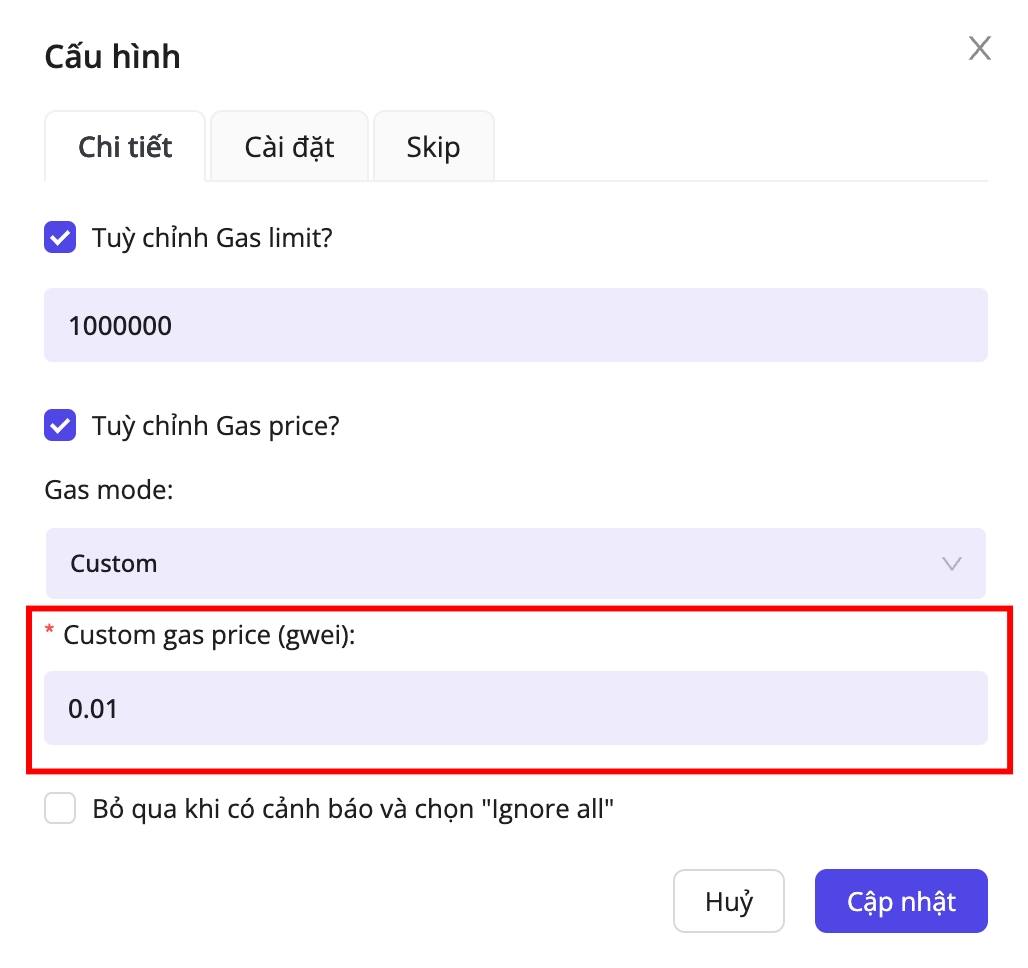
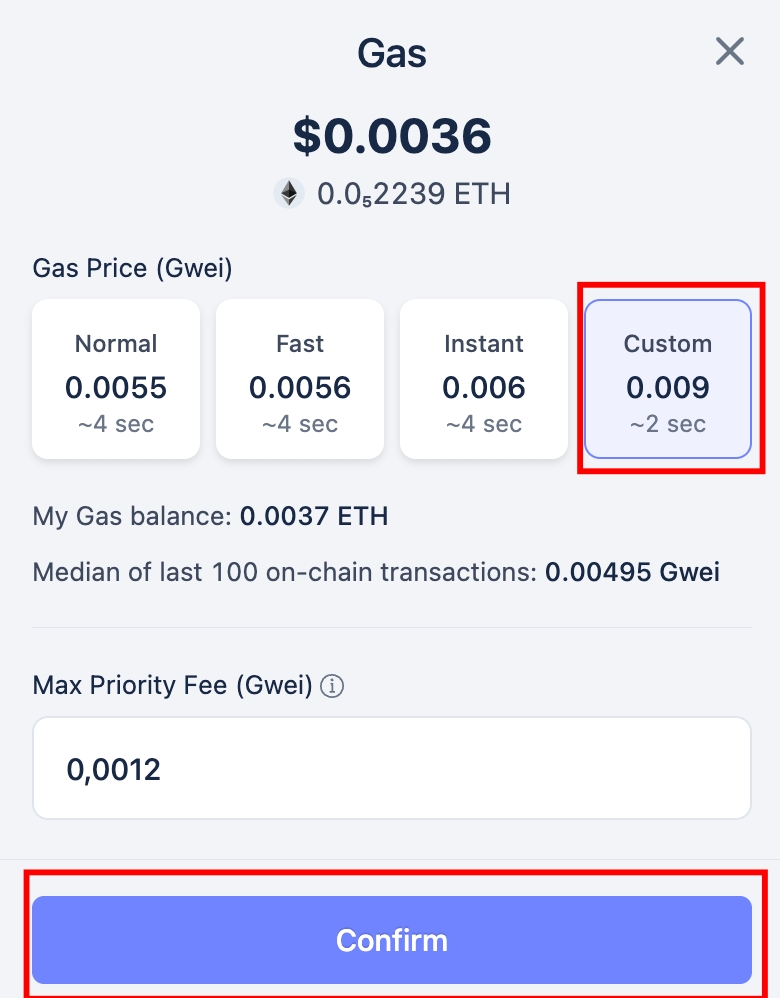
If you select the Custom gas mode, the processor opens the popup, applies your configured gas price, and clicks Confirm then proceeds with Sign and Create:
Last updated