

Sign and Confirm clicks inside Rabby for you. Before those clicks, you can adjust the gas limit and gas price as needed, the processor performs every action automatically according to your configuration.
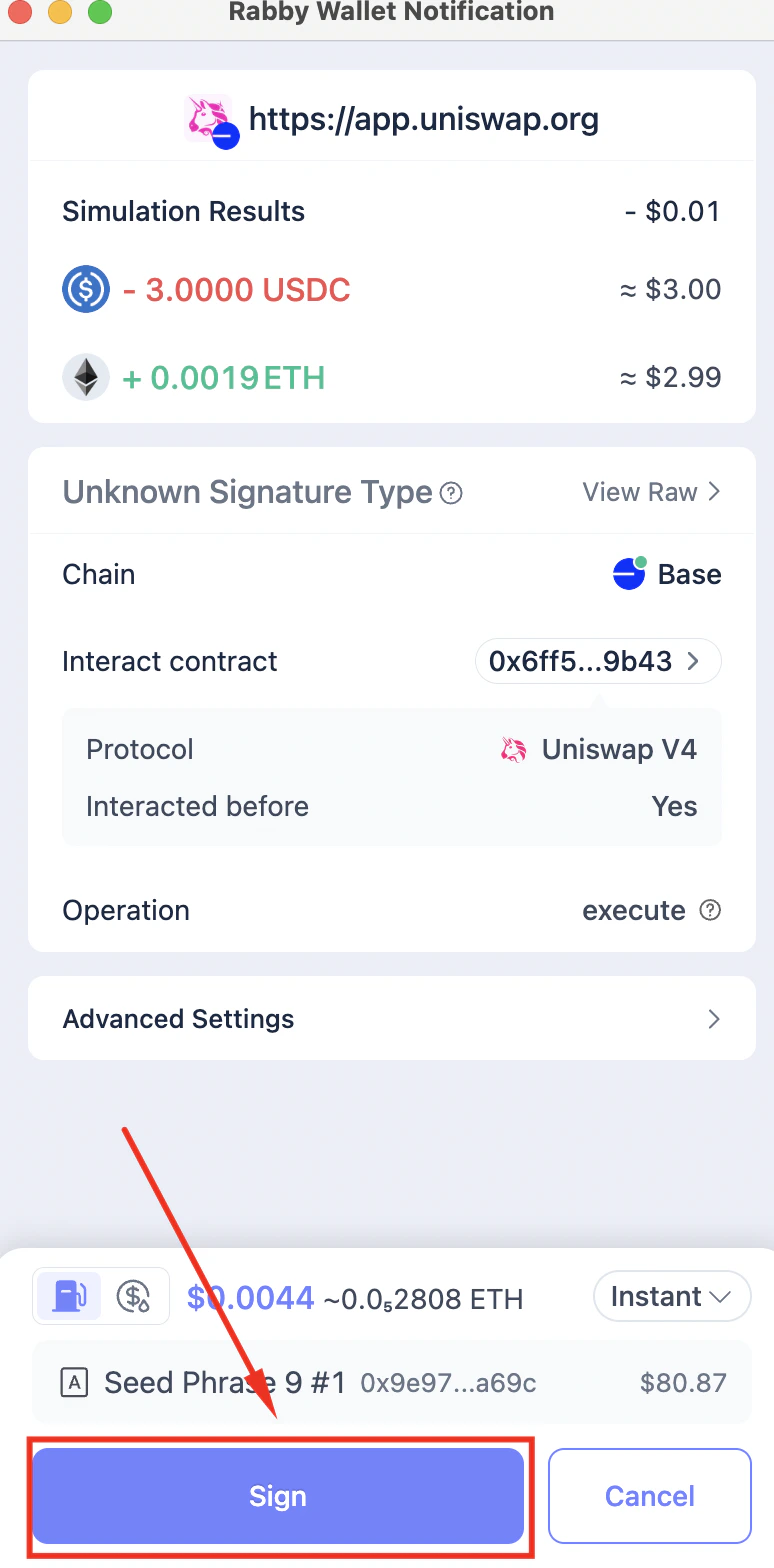
Click Sign in Rabby wallet
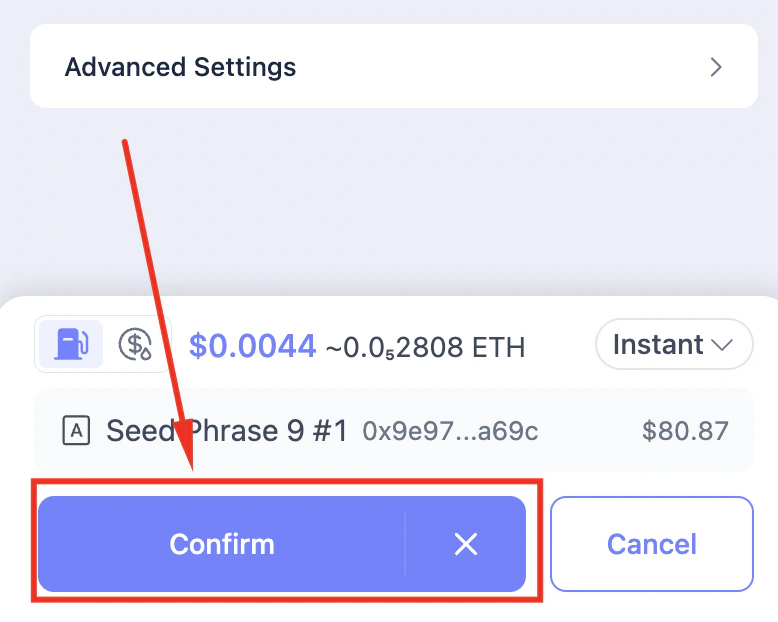
The processor then clicks Confirm
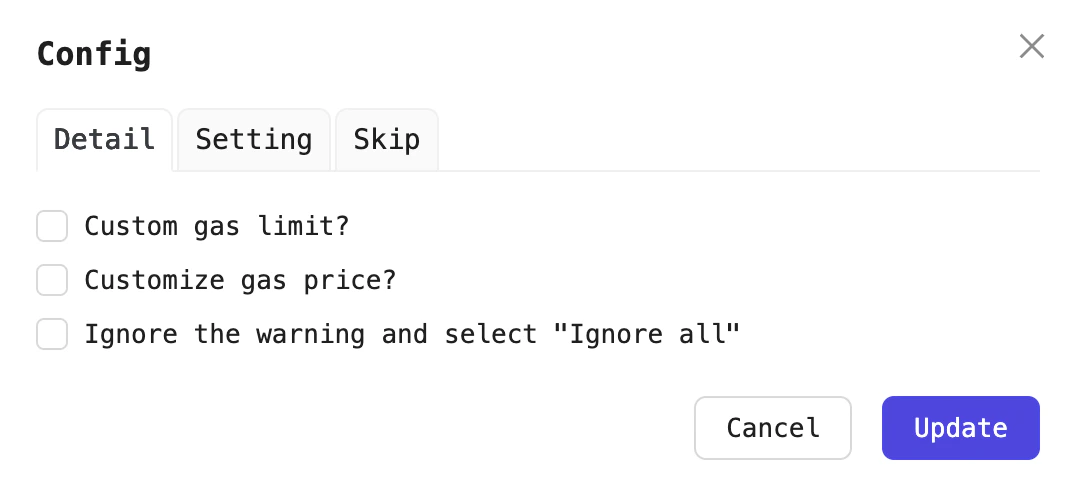
Configuration for the Sign wallet processor.
Configuration fields
Customize Gas limit
To customize the transaction’s gas limit, enable the Customize gas limit? option, then enter your desired value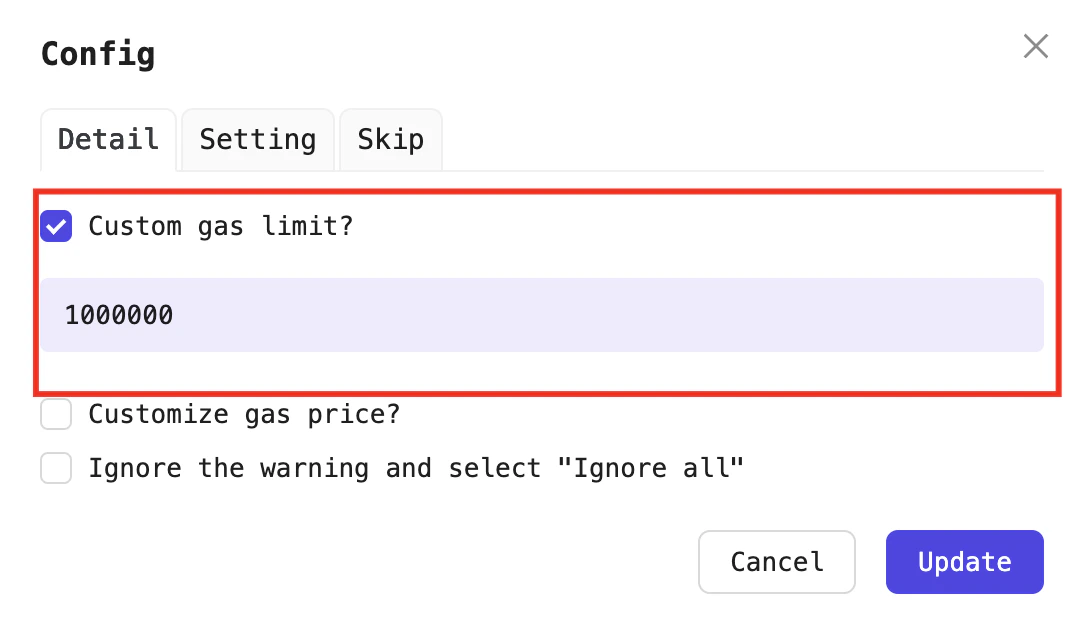
Customize Gas limit
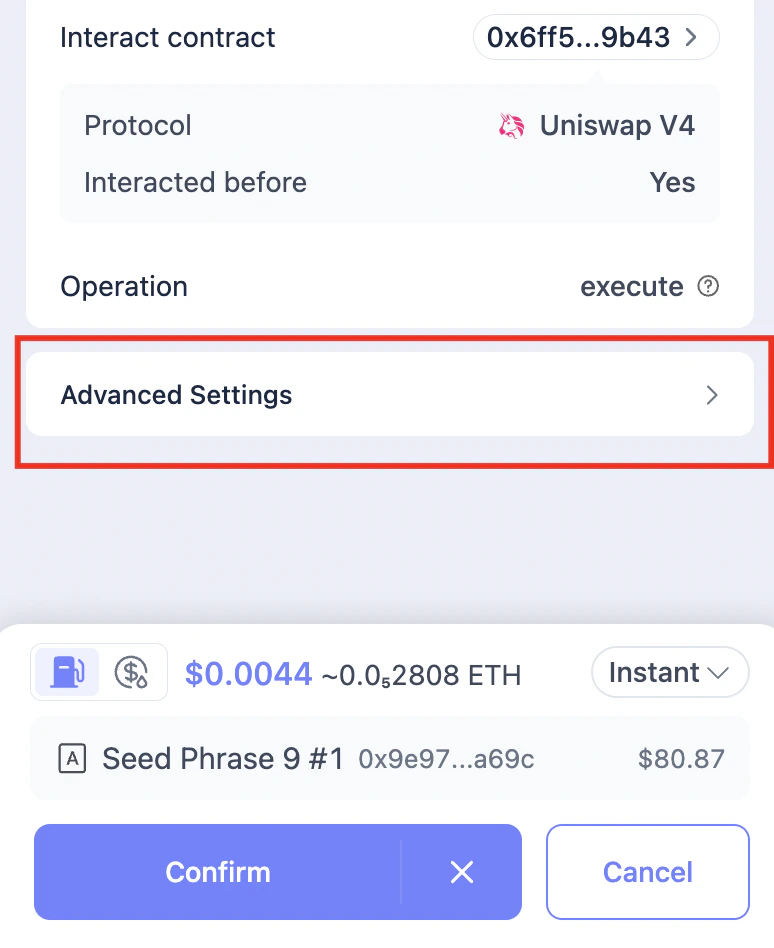
Adjust the gas limit under Advanced Settings
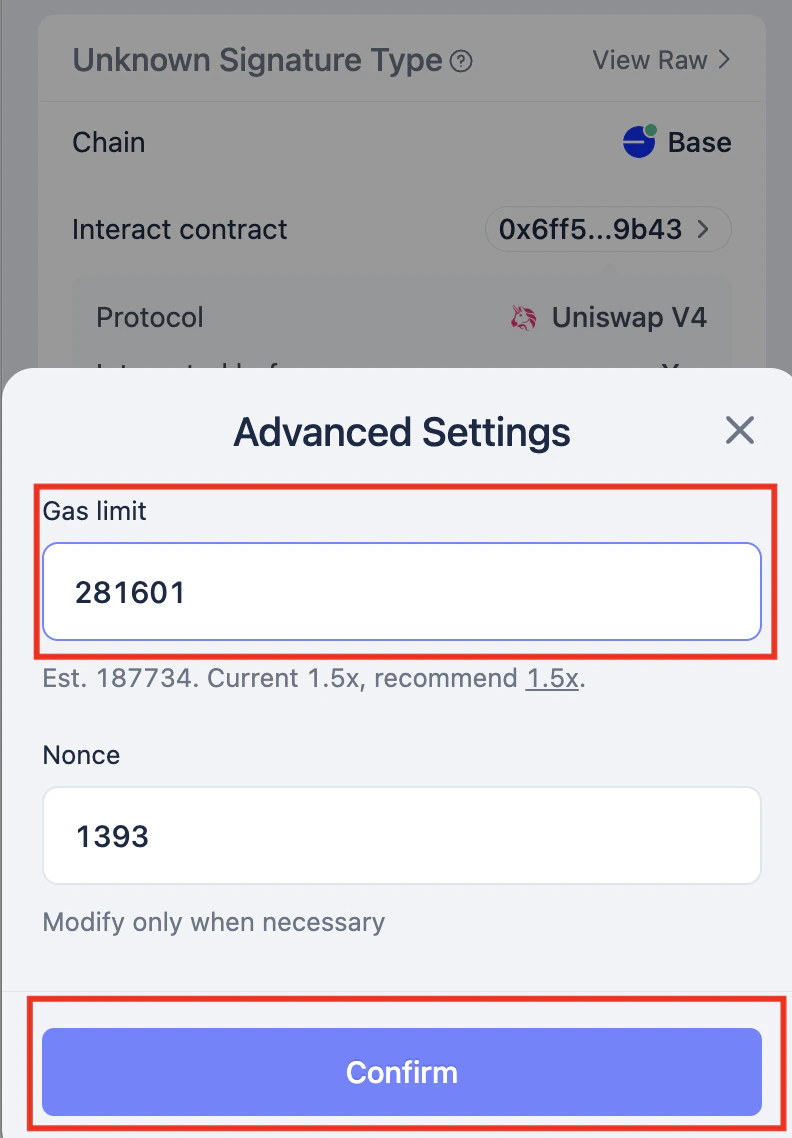
Adjust the gas limit
Customize Gas price
To customize the transaction’s gas price, enable Customize gas price? . You can then choose among four modes: Normal, Fast, Instant, or Custom: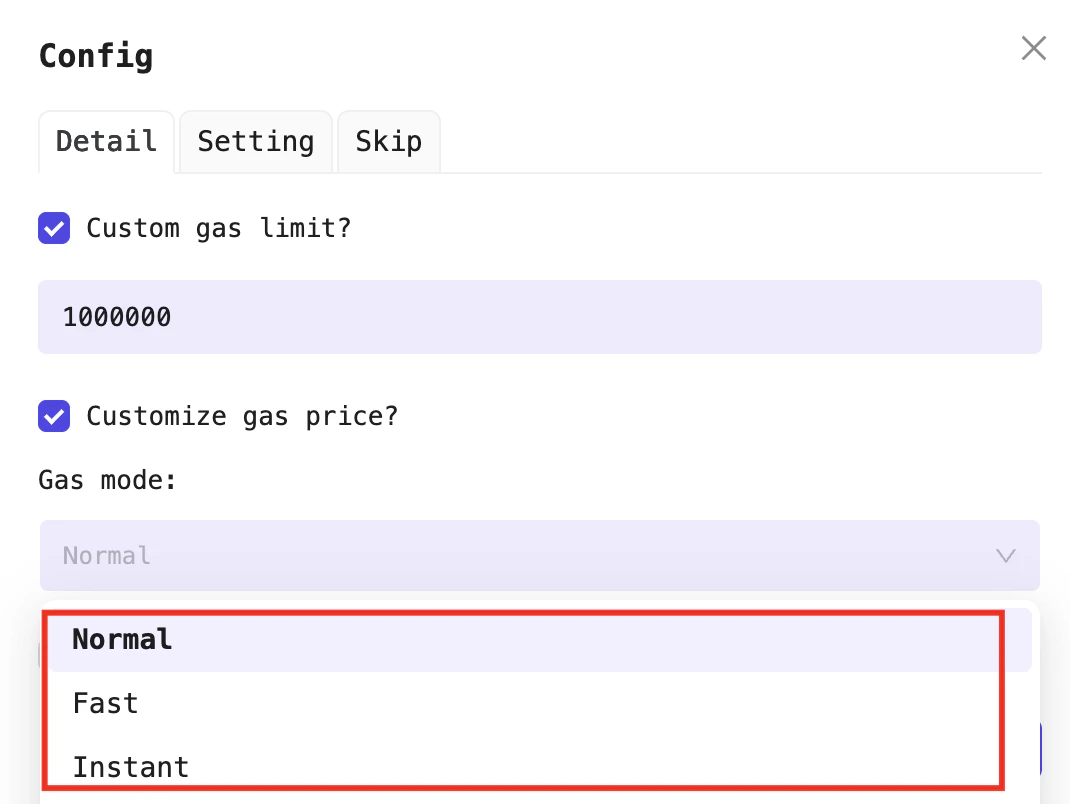
Customize Gas price
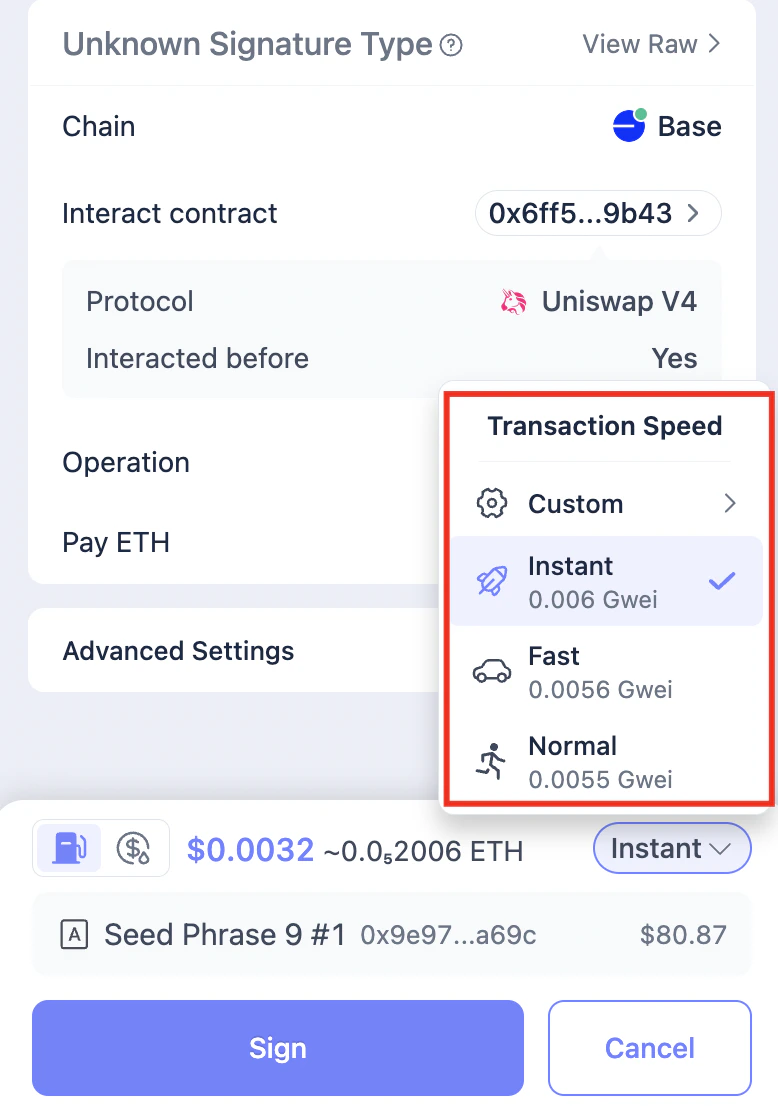
Gas price options in Rabby
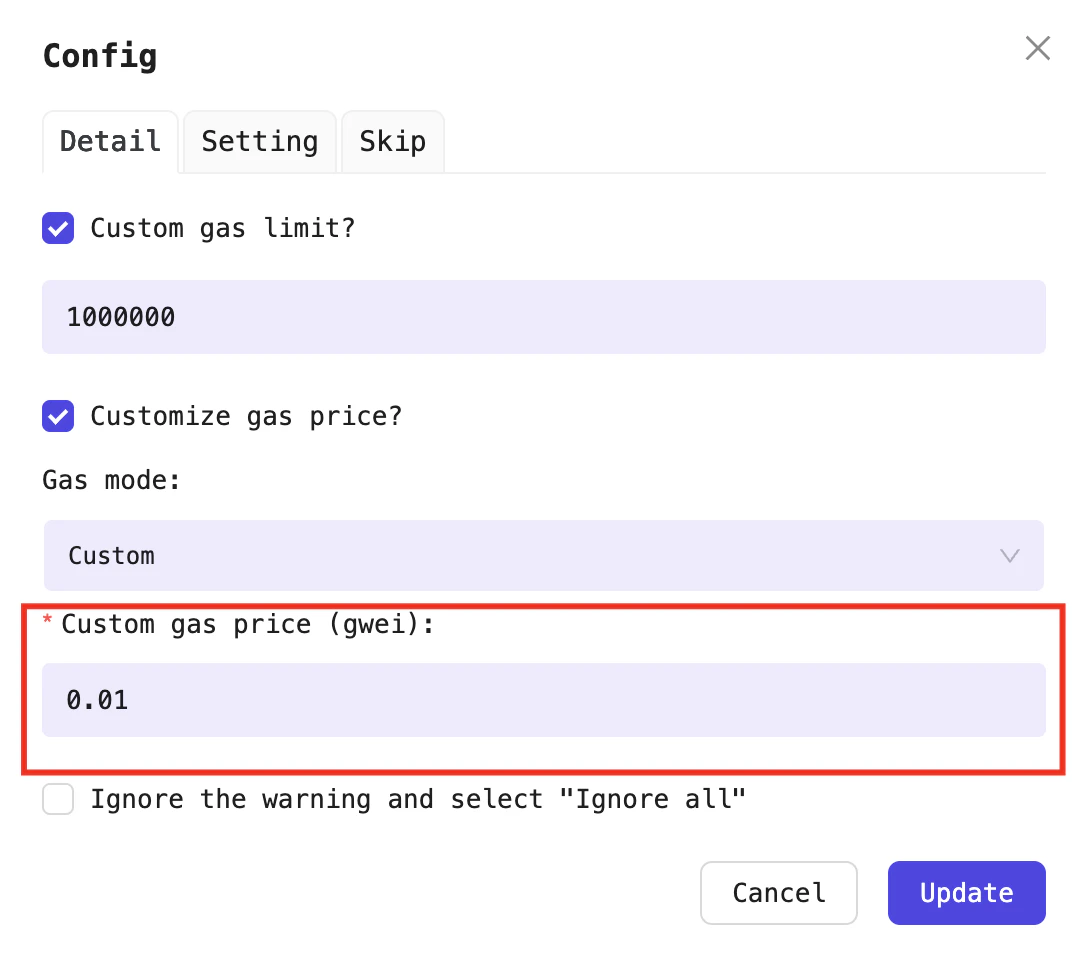
Enter the gas price in gwei
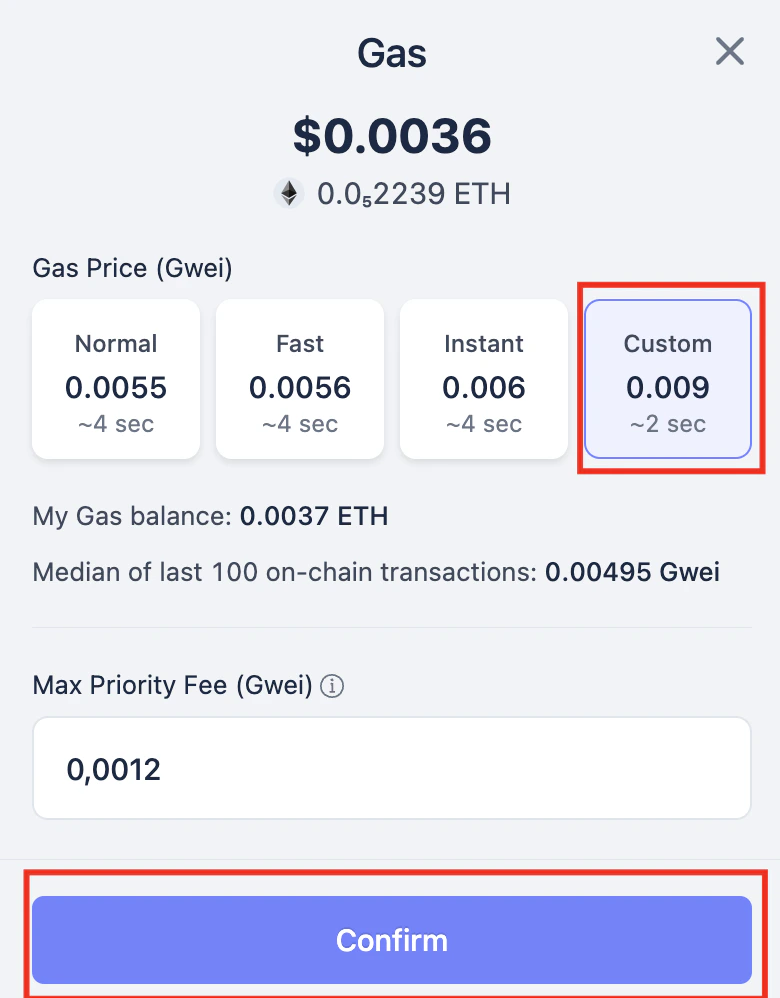
Adjust Gas price