

Check market cap Processor evaluates a token’s market cap over a specified timeframe and only returns TRUE if every market cap datapoint within that period meets your chosen condition. This helps avoid sudden price spikes or drops, and prevents false signals caused by brief candle wicks.
For example, if you’re creating a limit order scenario to sell the SNP500 token with the condition that, over the past 3 minutes, SNP500 market cap has always been greater than $122000, you can use this processor
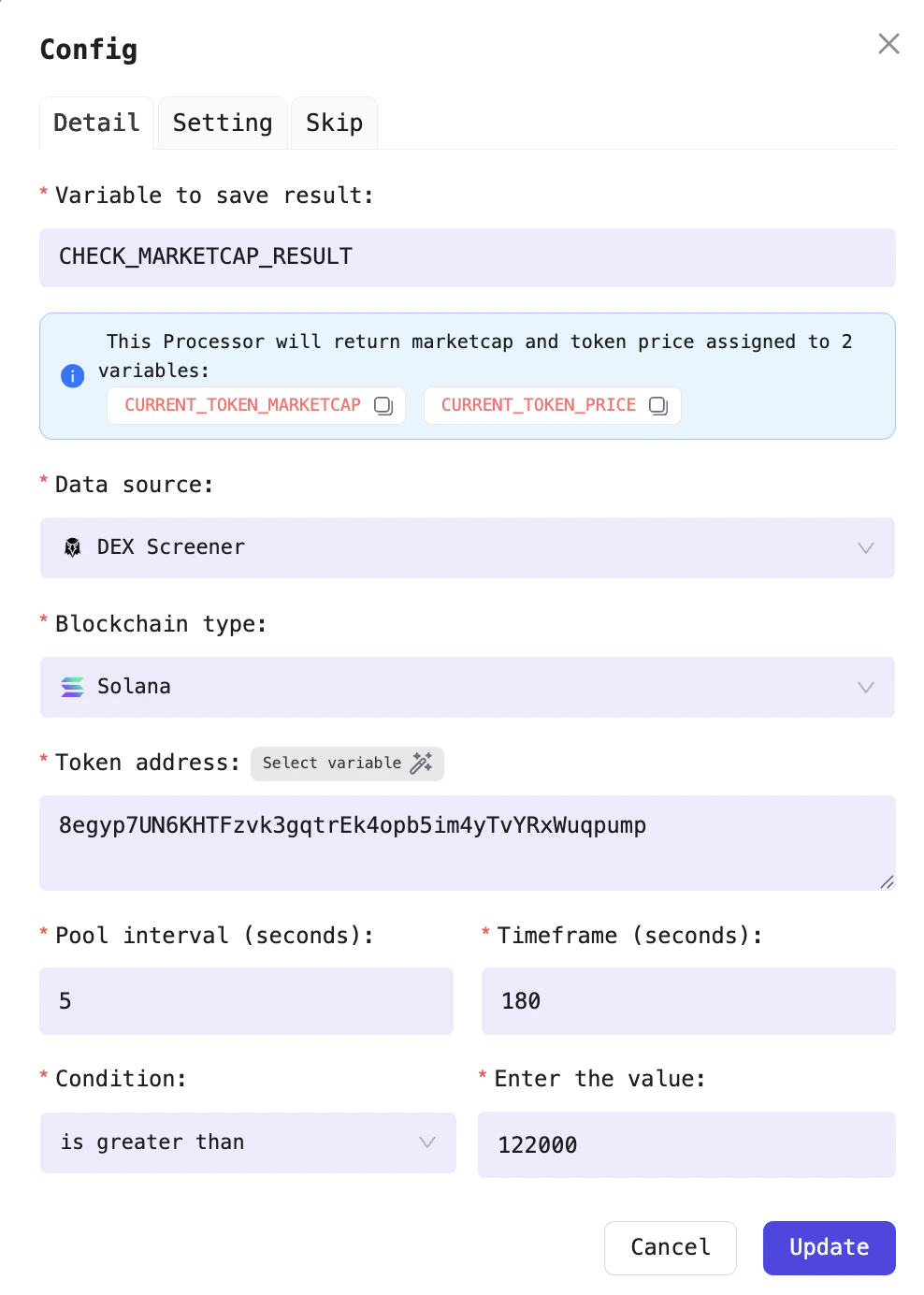
Configure the Check market cap Processor
View market cap.
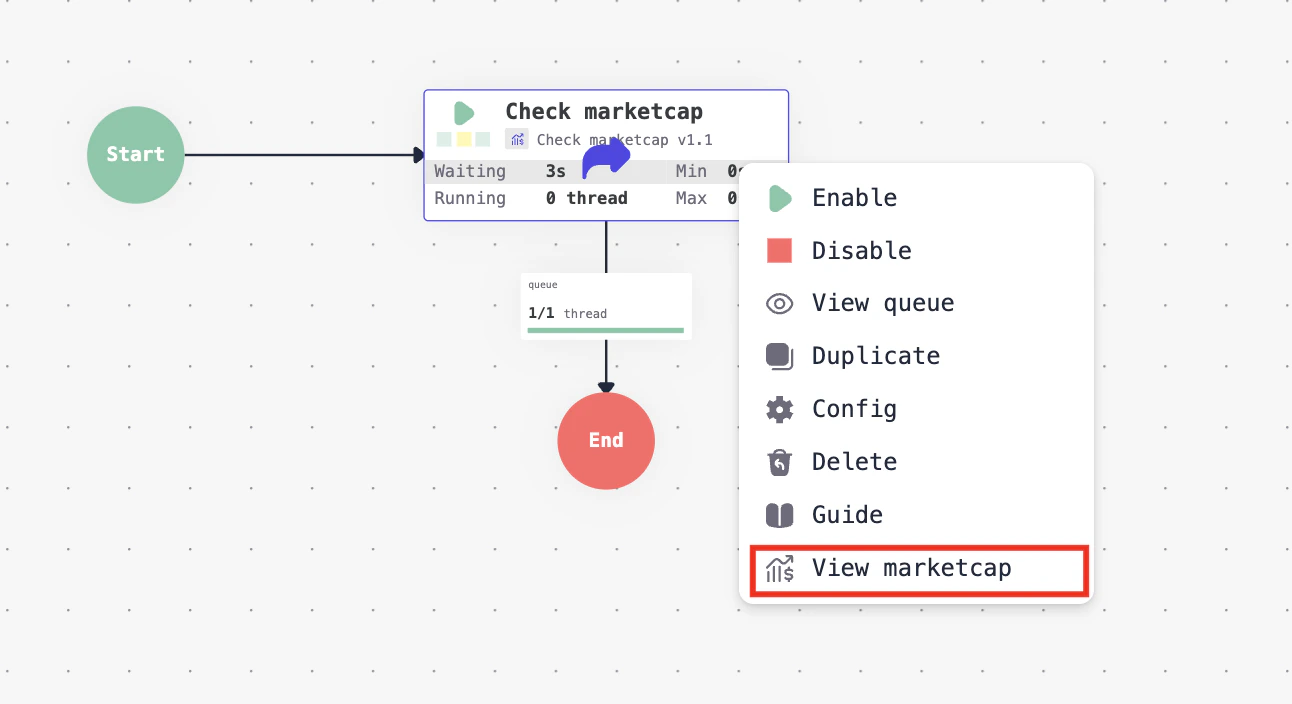
View the market cap of the token currently being processed by the processor
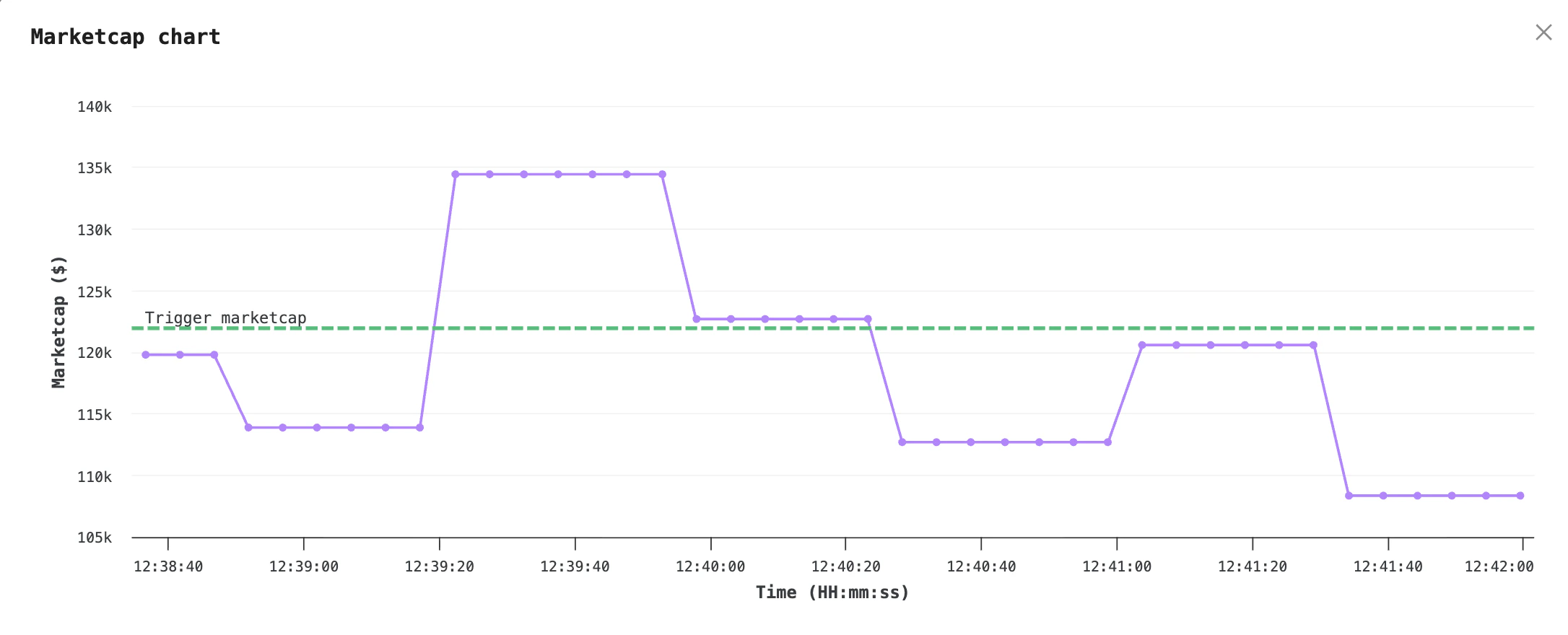
Token market cap chart within the processor, along with your selected trigger threshold
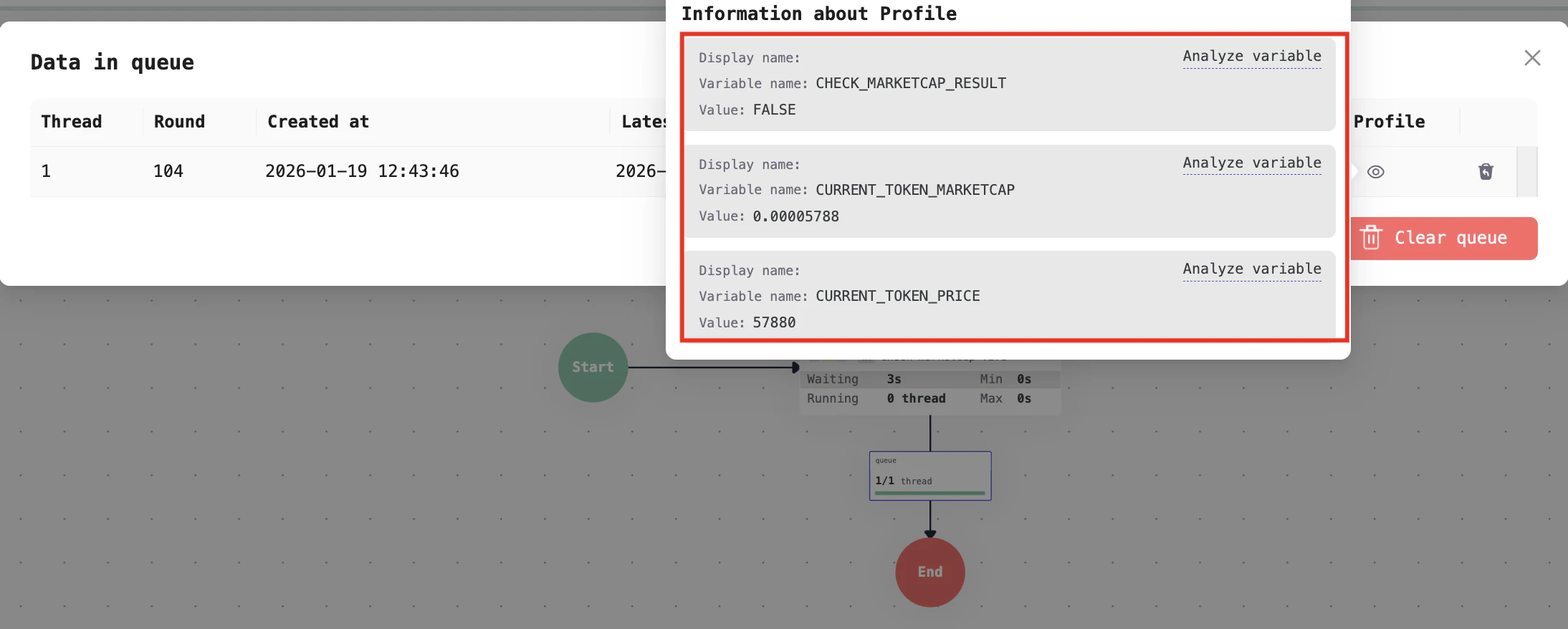
The processor’s result will be stored in a variable, with a value of either
TRUE or FALSE